


Cameron Waller
Members
-
Joined
Everything posted by Cameron Waller
-

From the album: My W.I.P
-
From the album: My W.I.P
-
-

From the album: My W.I.P
-
-
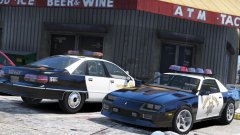
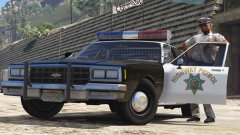
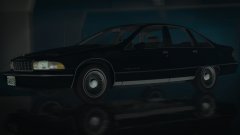
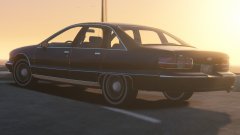
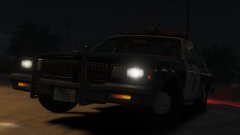
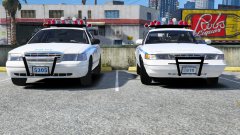
I forgot all about this topic, so recently I started reworking the 1991 Chevy Caprice released by Lundy and so far progress has been made with the Caprice Classic and 9C1.
.thumb.png.a7bdca3c36ca74ae015f27eebc0fe860.png)
.thumb.png.91e400debc09e693b8a59deb253cda79.png)
.thumb.png.5e1adde790c1d924cfc9ade6ac75f31d.png)
.thumb.png.45a7d66e71fef432225c10c448ca8bb3.png)
.thumb.png.e5491c6ff161ea393abb3ec75de736c1.png)
-

From the album: My W.I.P
-
-
-

From the album: My W.I.P
-
From the album: My W.I.P
Since July 8th, 2016 I've been working to improve this '91 Caprice mainly because it's my favorite car ever put together, and I'm slowly making progress on making the car better than what it was first released. -
From the album: My W.I.P
-
-
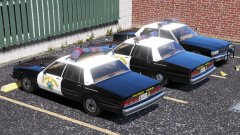 I don't really know if they did but I only wanted to try it since they used it on the 90-91 LTD
 -
From the album: My W.I.P
-
From the album: My W.I.P
-

From the album: My W.I.P
-
 At some point.
 -
From the album: My W.I.P
-

From the album: My W.I.P
-

From the album: My W.I.P
-

From the album: My W.I.P
-
From the album: My W.I.P
-
-

From the album: My W.I.P




.png.26aa8bce50104b48393625ad7217f128.png)
.png.27c95c8326be994223aea4d5767d75f3.png)
.png.95320eea55daa53145c70920b89a08ec.png)
.png.9b04e615c42122293f30304cf425b6df.png)
.png.56d3997cbeced116b0daf0cd43385077.png)


