Skip to content
View in the app

A better way to browse. Learn more.

LCPDFR.com

A full-screen app on your home screen with push notifications, badges and more.

To install this app on iOS and iPadOS
  1. Tap the Share icon in Safari
  2. Scroll the menu and tap Add to Home Screen.
  3. Tap Add in the top-right corner.
To install this app on Android
  1. Tap the 3-dot menu (⋮) in the top-right corner of the browser.
  2. Tap Add to Home screen or Install app.
  3. Confirm by tapping Install.

SyncPotts

Members
  • Joined

  • Last visited

Files posted by SyncPotts

  1. An amount of police vehicle skins ranging from astras to BMWs.

    Pack contains:

    x2 Astra skins (old/new) Made by Me
    x2 BMW 530d Skins (Traffic/RRCT) Made by Me
    x1 BMW X5 skin (Traffic) Made by Me
    x1 scania fire truck skin Made by Me
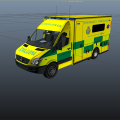
    x1 West Yorkshire ambulance service Made by my good friend Chris Archer
    x2 Vauxhall Zafira skins (Old/new) also with windows Made by Me
    x2 Vauxhall Vecrta skins (Old traffic/New traffic) Made by Me
    x1 Volvo V70 skin (Traffic) Made by Me

    Read me has all downloads in it.


    http://www.youtube.com/watch?v=t_5WBUXr4j8
    • 165 Downloads
    • 3 Comments
    Updated

Account

Navigation

Search

Search

Configure browser push notifications

Chrome (Android)
  1. Tap the lock icon next to the address bar.
  2. Tap Permissions → Notifications.
  3. Adjust your preference.
Chrome (Desktop)
  1. Click the padlock icon in the address bar.
  2. Select Site settings.
  3. Find Notifications and adjust your preference.