Skip to content
View in the app

A better way to browse. Learn more.

LCPDFR.com

A full-screen app on your home screen with push notifications, badges and more.

To install this app on iOS and iPadOS
  1. Tap the Share icon in Safari
  2. Scroll the menu and tap Add to Home Screen.
  3. Tap Add in the top-right corner.
To install this app on Android
  1. Tap the 3-dot menu (⋮) in the top-right corner of the browser.
  2. Tap Add to Home screen or Install app.
  3. Confirm by tapping Install.

pietro69300

Members
  • Joined

  • Last visited

Files posted by pietro69300

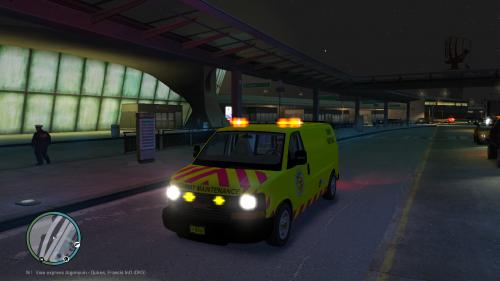
  1. Here the heavy version of my first realization of silk-screen color was improving , grill light whelen tir 6 was removed and replaced by ion whelen because of a problem of harmony of color. thank you to everyone who contributes to the improvement and devloppement this site
    • 248 Downloads
    Submitted
  2. hello this is my first posted customization , be indulgent and would love to treat feedback and improve my work thanks to your comments contructif . thank you all for this site genial ( sorry for my english but google translation)  hello from France Piero
    • 129 Downloads
    • 3 Comments
    Submitted

Account

Navigation

Search

Search

Configure browser push notifications

Chrome (Android)
  1. Tap the lock icon next to the address bar.
  2. Tap Permissions → Notifications.
  3. Adjust your preference.
Chrome (Desktop)
  1. Click the padlock icon in the address bar.
  2. Select Site settings.
  3. Find Notifications and adjust your preference.