


taro77
Members
-
Joined
-
Last visited
Everything posted by taro77
-
Seems we all are having a bit of confusion in here. I DID replace the red/blue ELS textures already with Spark4 in the WTD file. The reflections on the ground are amber which is CORRECT. The lights still give out BLUE/RED glow as seen in the first photo attached in the first post. The ELS lightbar is orange due to changed textures, which is correct. The only thing that bothers me is the glow around the lightbar which is red blue.. Just look at the picture; The lightbar is orange, the reflections are orange and the glow around the lightbar is blue/red.
-
Ah, that's too bad. I thought it would work just as it did on Crown Victorias and Impalas :c example - '?do=embed' frameborder='0' data-embedContent>>
-
Heathrow Airfield Operations
-
-
-
-
-
-
I have done it already, they still flash blue/red with AMBER/ORANGE reflections on the ground. (I forgot to mention that I WANT amber flashing lights on this lambo, so reflections are correct)
-
Hey there - I got everything working fine and stuff, I know how to change ELS colors on CVIP's and other mods, but for some reason I can't get them flash the color I want on a Lambo. I did manage to change the textures of the lights, but they still flash blue and red above the light-bar, as shown in the picture below. The reflections on the ground and other objects are fine.. Any advice? The model is by Spidereon, outsid3r4, monster875, alex189 - http://www.gtainside.com/en/download.php?do=comments&cat=371&start=0&id=48799&orderBy=
-
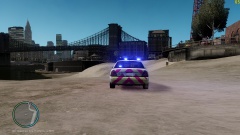
From the album: Heathrow
Fictional Heathrow Security Crown Vic -
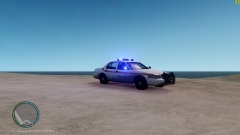
From the album: Heathrow
Fictional Heathrow Security Crown Vic -
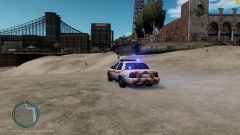
From the album: Heathrow
Fictional Heathrow Security Crown Vic -
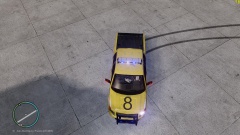
From the album: Heathrow
Fictional repaint of Heathrow OPS vehicle. -
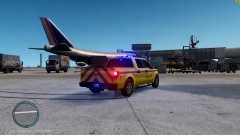
From the album: Heathrow
Fictional repaint of Heathrow OPS vehicle. -
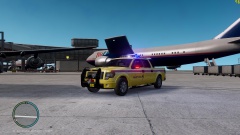
From the album: Heathrow
Fictional repaint of Heathrow OPS vehicle.


