Creators: Due to background reprocessing of files, approvals and file security checks may be delayed. Thanks for your patience.

Quasar
Members
-
Joined
-
Last visited
Everything posted by Quasar
-
 @sayaloli1 Let me guess, you are using Natural vision remastered, if yes go in open iv and find the nvr emissives folder, find the Ytd files and delete any of them that you are using custom cars on. Firetruk and sheriff immediately come to mind as common. I’m betting this fixes your issue
- 147 comments
- 65 reviews
-
 You may not have ever even seen it but there was a really really over the top bad review, lots of abbreviated cuss words etc. that the mods actually removed. That is what actually started this whole debate and i guess the bad thing is that now the somewhat more helpful but still one star reviews appear to be the one getting the brunt of the complaints. Constructive criticism is good as you say, but word it badly or with unneeded additions enough times and no one will bother wasting their time to continue learning.
- 82 comments
- 20 reviews
-
.thumb.png.ccb0302957ee78eebc9b6db9b98a38d2.png) Newcomer to scripting callout packs. And definitely seems to be making progress in the right direction. Author seems to be very responsive if a bug or change needs to be addressed if a comment is left giving the details. So far I like what i see, and the updates seem to keep coming. Hopefully as the Author continues learning this will improve into another one of the MUST HAVE callout packs for LSPDFR.
Newcomer to scripting callout packs. And definitely seems to be making progress in the right direction. Author seems to be very responsive if a bug or change needs to be addressed if a comment is left giving the details. So far I like what i see, and the updates seem to keep coming. Hopefully as the Author continues learning this will improve into another one of the MUST HAVE callout packs for LSPDFR.- 68 comments
- 14 reviews
-
-

- 2
-
-
@Sebo, My comments were more directed at the "reviews" on this file. Your constructive Criticism I think was needed, well explained and probably appropriate and wasn't short and rude. I'm not sure if I wasn't very clear or what. But, Again the whole point of this is to leave good constructive criticism, It doesn't need to have a one star review tied to it, it certainly isn't going to make it stand out any more. Where is the motivation to keep learning from mistakes made and to keep improving from it, when people all gang up on a new modder and pretty much say they suck, why would anyone continue with that kind of feedback
- 82 comments
- 20 reviews
-
-
- 2
-
-
Like i said, I don’t disagree, all im saying is every single person here with multiple good releases started somewhere too and maybe they were not so good either but people helped along the way and didnt pile on one star reviews. Constructive criticism is more than acceptable and should occur, but imo should be in comment form versus slamming them with one star reviews, what motivates them to even bother continuing to learn and improve. That is the only point im making.
- 82 comments
- 20 reviews
-
-
- 3
-
-
I don’t neccessarily disagree with any of the comments or reviews, if the file needs many improvements. Then it needs improvements. I do however have an issue with how rude some of them are. Everybody starts somewhere, some better than others. But if we want to continue to have newer members try modding, and contribute to the future of LSPDFR. Can we be a little bit less rude and more helpful?? Keep up the way we are going and no one is going to even bother trying.
- 82 comments
- 20 reviews
-
-
- 6
-
-
Whoops sorry, maybe i downloaded too quick, had gotten a couple notifications saying a new version was released and assumed it was the manual review. I’ll check it out again soon
- 68 comments
- 14 reviews
-
@SRS Bladez It will still do the same thing. See screenshot below on what I believe will need to be changed so that future version do not duplicate installation. The V 1.1 needs to taken out of the .dll and the .pdb file Leaving just Roadincident callouts.dll and Roadincident Callouts.pdb. That way when you release new updates and users drag the files into their GTA V folders it will ask if they want to copy the new files over the existing version of the callouts. Hope this helps, and keep up the good work!
- 68 comments
- 14 reviews
-
@SRS Bladez Cool, I’ll check it out later tonight or in morning once im home from work.
- 68 comments
- 14 reviews
-
Good work so far. One thing I caught is the naming structure of the file. The new version does not overwrite the existing install. I believe this is because you have the version number listed in the file name. I caught it before running the game the first time, so I am not sure if running both versions would crash the game or what. Otherwise just make sure you go in and delete v 1.0 if upgraded to 1.1
- 68 comments
- 14 reviews
-
-
- 1
-
-
Vice City is being remastered?? Any links on that? First I’ve heard of it and will definitely own it. Especially if any new things are added.
-
-
I doubt any of this is true, but I would LOVE another 80's based Vice City with today's upgraded graphics and map sizes. But then again If it really comes out in 2022-2023 ill be 43-44 years old so i guess it all brings me back to when I was growing up.
-
-
-
 Im mobile at moment, but make sure you have the skin named exactly the same so open iv overwrites the old skin, and check for a hi version of the file the skins are installed in some hi quality models needs the skin files in both to work right, and i cant remember anymore if this one is one of them.
- 209 comments
- 40 reviews
-
Awesome news!
-
Thanks, I kinda figured it was not changeable but thought it was worth a shot at least. I will give the zoom function a shot. I hadn't thought of that.
-
Hi, I am wondering if it is possible for either myself or possibly an admin to set the type of Captcha security verification for my profile when downloading mods. I am having extreme difficulty reading the letters to type in to prove im human. I eventually get one I can read but sometimes it takes awhile. I do fine with the photo selection style ones. If everything goes very well, Ill be having eye surgery within the next few months, but even then I don't know the end results. Please let me know if anything like this might be possible. Thanks,
-
Already did all of the troubleshooting steps listed in the other topic, i only posted in it, so that i was notified of further replies if you were able to help him fix the issue. I wont be able to do more troubleshooting until probably later next weekend. Just too busy at work right now.
-
Im having exact same issue, everything loads fine, i have everything but emergency lighting. Els console pops up with cntrl-P siren works with g. But hit j and i get no lights till stage 3 then it is only tailight flashers, and small cruise lights on lightbar. Doesnt matter which model, pack, or vcf files i use. Im literally baffled by this.
-
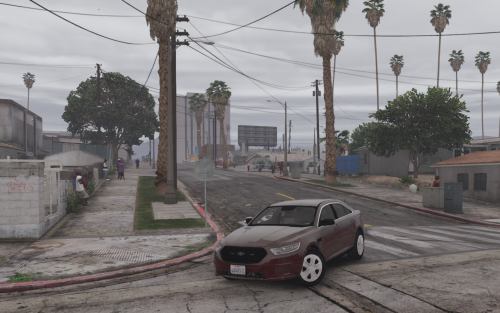 Having big issues with lights, they dont seem to work except for the taillight flashers. Cars themselves look amazing and all add-ons working. Using radiance v with newest version of all three packs downloaded last night and started over with fresh mod folder. I Dunno what i am doing wrong.
- 39 comments
- 11 reviews
-
-
It works fine, most likely you need to reinstall the oiv file. If you updated the entire update. Rpf. Vs the two files like was shown on twitter then it overwrites a file updated by the eup oiv file and the clothing is all messed up.
-
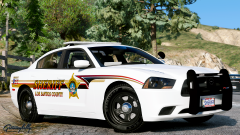 Wow! I need this skin in my game.
.thumb.png.ccb0302957ee78eebc9b6db9b98a38d2.png)