skynyrd47
Members
-
Joined
-
Last visited
Everything posted by skynyrd47
-
1) they coded the busy function backwards, no puns just trying to help, so turn it to busy as in not to recieve callouts, that is what I have been doing till they get a chance to look at the other issues. 2) Havent had that problem are you pressing ALT E when the run to call it in or are you getting that option I miss the opition and do the same thing your doing. 3) Happened at first but I stand far enough away from them and oddly they turn around for you to frisk or arrest instead of having to get behind them like in R2 I am in no way a coder or know alot of stuff these are just my observations and I hope they help you
-
Controls are in the read me file or you can press capslock for a quick menu. hope it helps
-
Well atleast I am having the same problems as everyone else. I really enjoy this feature. Van Dyck I have been force closing Lcpdfr and starting and then 'forceduty' and it resets what ever that is. Its giving me the same log info also. Only issue is you get a random cop instead of picking one out.
-
Same thing happening over here to boss man
-
AH and another odd end, when responding to control I or my charatcer is called random officer names. How can this be set? Again I am just asking no rush I can still play lcpdfr thanks for your time and patience awesome mod I really enjoy it.
-
I know that the G17 team has bigger fish to fry but I figured why not ask right? First off everything works, from start to crash. I noticed that the neat grab feature would for briefly then would stop working. Then I would accept a call out and on arrival I would crash. So, my questions is what about the grab feature just stopping, and my last question, when I set my call-outs to busy I receive them and when I turn them on I don't get any, I know it has to be simple to fix just don't know where to look. Here are all my logs and the Lcpdfr log also. AdvancedHook.log AdvancedHookInit.log asilog.txt ScriptHook.log ScriptHookDotNet.log LCPDFR.log
-
Once you accept the callout a yellow search circle appears and you have to find the reason or solve the callout. You are then prompted to press Alt E to call in the completion of the callout
-
Starting it up, Thanks G17 once again
-
Cannot wait bought gta iv just for lcpdfr and now its updating! YA BUDDY!
-
-
kind of looked over this mod and finally decided to download it, I really enjoy it. Thanks boss
- 80 comments
- 22 reviews
-
Awesome kind sir, really enjoy the mod feels like it fits perfectly with lcpdfr and every other mod I have installed. Good job
- 316 comments
- 152 reviews
-
-
-
-
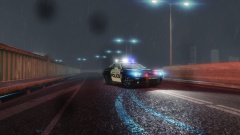 now that is impressive
 -
Alright yall I figure it out I didnt merge all the files together I just Brought the whole ELS folder over which partially worked but all the other files were withing instead of in the general directory. Awesome lights, Question if I set my lights with the Els express mode off and then enable it will that save my light pattern I set or does it just go to default pattern. Im currently out of town and cant experiment.
-
I did do that and I even tried making a police2 file for config also and both of those files are in the Els folder under the Rockstar and Gta IV folders. But It is under the els folder in another els folder which contains the config files. Am I losing any one? I also noticed when I unziped the download the Els.ini is now only Els Anyone else have any ideas of what is going wrong? I am having to patrol with non els rides and its not to much fun. I have been playing Lcpdfr most of the afternoon and noticed when I hit the Backspace ELS I ENABLED poped up. How is this possible when my ELS cars arent working? MODERATOR NOTICE Please don't triple post, use the edit feature instead. Posts merged. ~Sharp
-
I set them to default_config1
-
Yes I did and even tried moving the config files into the main directory and nothing
-
I have read through the forums and googled away but I no matter how much reading am still having problems with Els 7. I have uninstalled and reinstalled and just modded this into the game and no other mods. Well other than one els enabled car. Yet still nothing. I know it is user error and just wanted to see if some one could shine some light on it. I have made sure all files are were everyone said they should be and still have issues. I did look into the Scripthook just wondering and this is what I found. Log start: Sat Nov 02 10:39:30 2013 ----------------------------------------------- [iNFO] GTA IV Script Hook 0.5.1 - © 2009, Aru - Initialized [iNFO] Process base address: 0x170000 [iNFO] Auto detecting game version [iNFO] Using game version 1.0.7 [iNFO] Initiating: Luxart Emergency Lighting System (ELS) by Lt.Caine [iNFO] (ELS) Script started: ELS V7.0-R130506 [iNFO] (ELS) Files - General information retrieved. [iNFO] (ELS) File - CMID [002] 'AMBULANCE'. [iNFO] <ERROR> File 'default_config1' not found. [iNFO] (ELS) File - CMID [027] 'FBI'. [iNFO] <ERROR> File 'default_config1' not found. [iNFO] (ELS) File - CMID [031] 'FIRETRUCK'. [iNFO] <ERROR> File 'default_config1' not found. [iNFO] (ELS) File - CMID [052] 'NOOSE'. [iNFO] <ERROR> File 'default_config1' not found. [iNFO] (ELS) File - CMID [053] 'NSTOCKADE'. [iNFO] <ERROR> File 'default_config1' not found. [iNFO] (ELS) File - CMID [063] 'POLICE'. [iNFO] <ERROR> File 'police_config1' not found. [iNFO] (ELS) File - CMID [064] 'POLICE2'. [iNFO] <ERROR> File 'police_config1' not found. [iNFO] (ELS) File - CMID [065] 'POLPATRIOT'. [iNFO] <ERROR> File 'default_config1' not found. [iNFO] (ELS) File - CMID [070] 'PSTOCKADE'. [iNFO] <ERROR> File 'default_config1' not found. [iNFO] (ELS) File - CMID [135] 'POLICEB'. [iNFO] <ERROR> File 'default_config1' not found. [iNFO] (ELS) Files - Vehicle information retrieved. Detected [0] ELS-enabled models. [iNFO] [EmergencyLightingSystem] Thread started