Skip to content
View in the app

A better way to browse. Learn more.

LCPDFR.com

A full-screen app on your home screen with push notifications, badges and more.

To install this app on iOS and iPadOS
  1. Tap the Share icon in Safari
  2. Scroll the menu and tap Add to Home Screen.
  3. Tap Add in the top-right corner.
To install this app on Android
  1. Tap the 3-dot menu (⋮) in the top-right corner of the browser.
  2. Tap Add to Home screen or Install app.
  3. Confirm by tapping Install.

Bueno

Members
  • Joined

  • Last visited

Files posted by Bueno

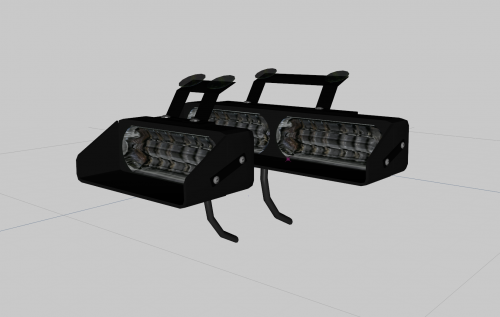
  1. 10/26/18 (Old release)
    www.lcpdfr.com
    Bueno
    Credits:  Generic Dashlight Package by Bueno
     
    ADDITIONAL NOTES:
     
    - DO NOT upload this file unlocked to any other website 
    - No, I wont help you in zmodeler or any other program
    -This pack is Version 1, Version 2 with many more Linear and LED variants available soon
     
    FILES INCLUDED
    - Dashlights.z3d
    - Textures
    - Credits.txt
    - Screens
    • 3,663 Downloads
    Submitted
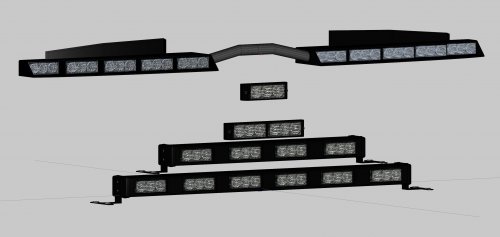
  2. 10/26/18 (Old release)
    www.lcpdfr.com
    Bueno
    Credits:  Modeled and textured by Bueno
     
    ADDITIONAL NOTES:
     
    - DO NOT upload this file unlocked to any other website 
    - No, I wont help you in zmodeler or any other program
    -This pack is Version 1, Version 2 with many more lights are coming soon
     
    FILES INCLUDED
    - Lightpack.z3d
    - Textures
    - Credits.txt
    - Screens
    • 5,522 Downloads
    • 4 Comments
    Submitted
  3. 10/26/18 (Old release)
    www.lcpdfr.com
    Bueno
    Credits:  Generic Linear Light Package Bueno
     
    ADDITIONAL NOTES:
     
    - DO NOT upload this file unlocked to any other website 
    - No, I wont help you in zmodeler or any other program
    -This pack is Version 1, Version 2 with many more lights are coming soon
     
    FILES INCLUDED
    - Linearlightpack.z3d
    - Textures
    - Credits.txt
    - Screens
    • 4,207 Downloads
    Submitted

Account

Navigation

Search

Search

Configure browser push notifications

Chrome (Android)
  1. Tap the lock icon next to the address bar.
  2. Tap Permissions → Notifications.
  3. Adjust your preference.
Chrome (Desktop)
  1. Click the padlock icon in the address bar.
  2. Select Site settings.
  3. Find Notifications and adjust your preference.