Everything posted by Fdarr
-
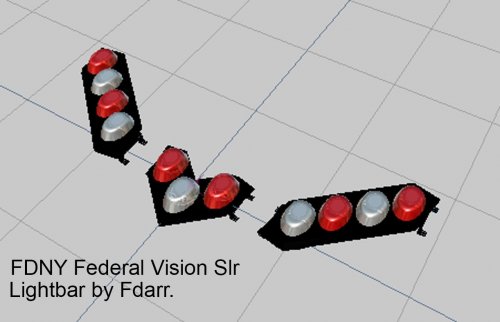 FDNY - Federal Vision SLR Lightbar (3 pod / Split). ==================================== 1. This lightbar is made by Fdarr. 2. You have permission to use mentioned lightbar in your mods. 3. To make it work you have to setup your own carcols. --------------------------- When using this model you have to mention my user (fdarr) as the owner of this model in your Read me file. Enjoy.
 -
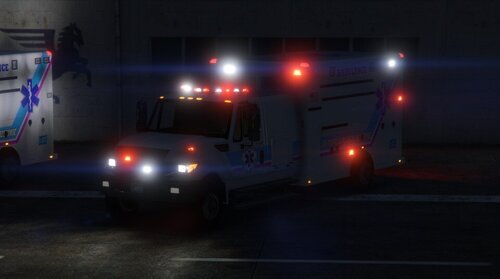 sry wrong post.. You can use this. Split version will be released soon 😉
 -
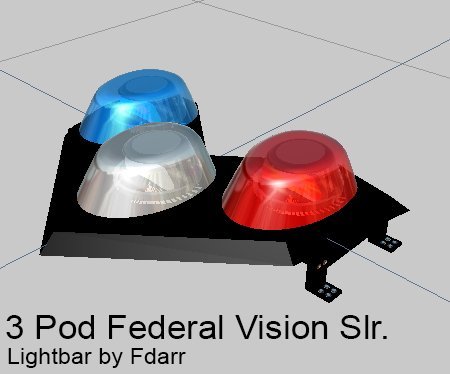 3 Pod vision Slr lightbar ---------------------------- 1. This lightbar is made by Fdarr. 2. You have permission to use mentioned lightbar in your mods. 3. To make it work you have to setup your own carcols. --------------------------- When using this model you have to mention my user (fdarr) as the owner of this model in your Read me file. Enjoy.
 -
-
-
-
-
-
-
These thing happens and arw mind blowing especially when you know what to do but still make the mistake. 😅
-
Does it work fine if you use a different vehicle with a different xml file?
-
Try to replace the popgroups and popcycle files from the original uodate.rpf to the one in the mods folder.
-
-
-
-
-
-
-
-
-
-
-
-
-