


BQG07
Members
-
Joined
-
Last visited
Everything posted by BQG07
-
I removed the command line and renamed to _mods as suggested, should I attempt to load the game through RAGE or through Steam? When I attempted to launch it via RAGE it didn't do anything.
-
Greetings, After some time away from GTA 5, I recently attempted to launch the game and it crashes after loading briefly. I have attached my RPH log. Any suggestions? RagePluginHook.log
-
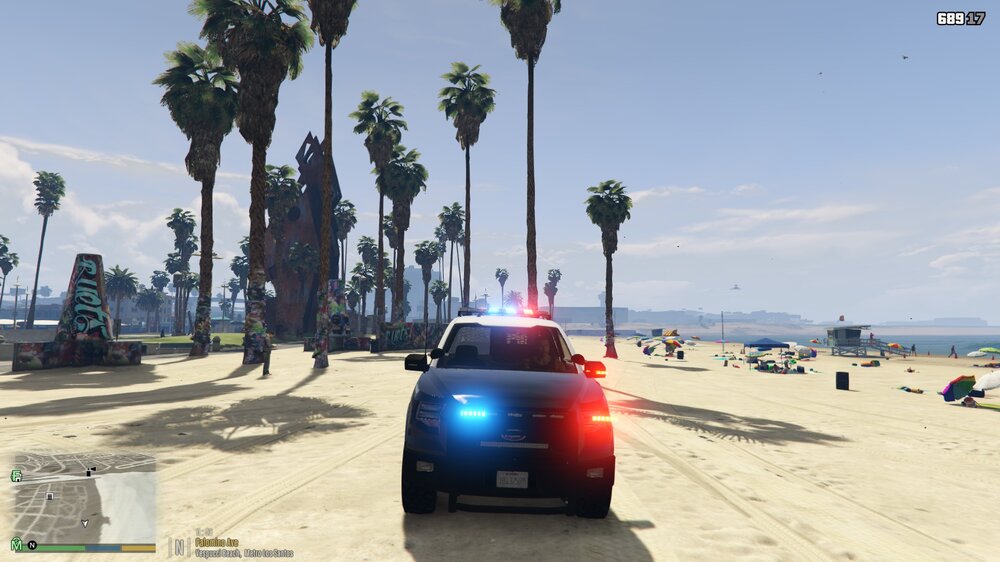
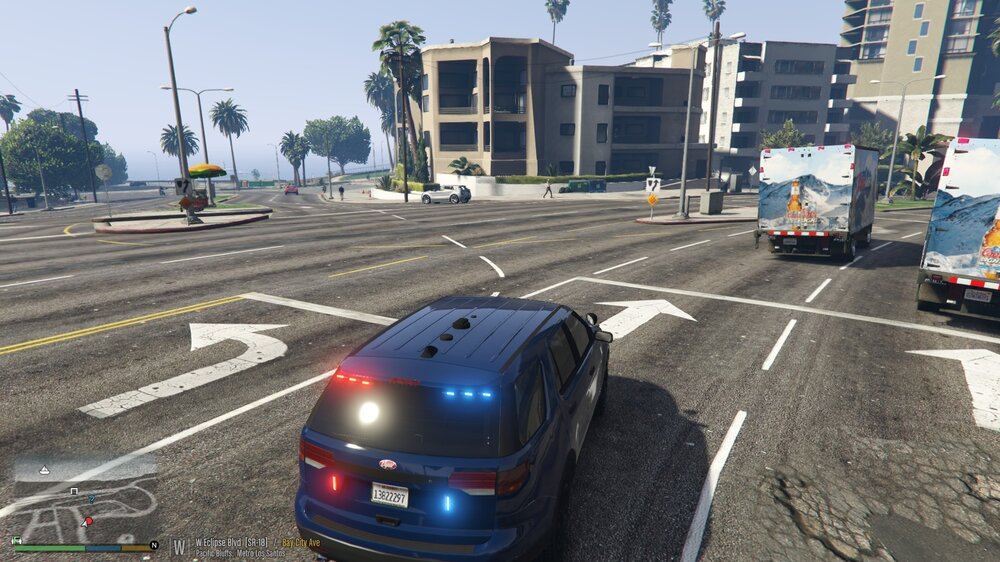
Not sure if anyone has experienced or is experiencing this issue with non-els lights. When activating the lights I've noticed that the light textures are "popping", on other cars they appear to work as intended. Does anyone have any suggestions or perhaps a fix for this issue. See the photos attached below. In one you can see that the light textures flash just off center and in the second they are working as intended, these vehicles are from the same pack. I've noticed this with other vehicles from various packs. Thanks in advance.
-
Gotcha, now I'm experiencing another issue with random texture loss. I was able to get my vehicles to spawn.
-
RagePluginHook_18082022_011104.log
.thumb.png.1f93cdae28ad6b087fc9e69dcfadc104.png)
-
I'm having a very similar issue where only certain vehicles within a specified DLC pack will spawn, but others won't spawn. Anybody have a solution?
-
Greetings, When I attempt to spawn certain vehicles through the RAGE console (F4) from various DLC packs, only some of the vehicles will spawn. For example, let's say that I want to spawn Sheriff3, Sheriff4, Sheriff5, etc., I may be able to spawn one of them, but not all of them. I can spawn the original slots (police, police2, police3, etc.) with no issue. My dlclist.xml has the correct lines added for the specified folders.
.thumb.png.633fa3b43d92235ea4ed930bdd235812.png)
.thumb.png.1b021a6c8f7565760f613a361bbc6ef5.png)
-
I fixed it. I reinstalled EUP and it appears to be working fine.
-
I noticed that I'm having the same issues as well. I just updated the RageNativeUI and the same problem exists. I load the EUP Menu plugin, and then when I hit F11 the character model appears, but the menu does not. I did notice that when I attempted to replace a file inside the male hipster folder, merely clicking that file would cause OPEN IV to crash, I tried deleting it with no success. I should note that yesterday EUP Menu worked fine.
-
Thanks I failed to mention that I use a trainer, but I totally forgot that I can spawn my vehicles with it.
-
Greetings. Hopefully, this is posted in the proper location. Out of curiosity, could someone explain why I'm not able to see my DLC/addon vehicles in the rage console? I can spawn the vehicles just fine, but the name doesn't show up in the list of vehicles. Its a pain having to tab out to Open IV to find the correct spawn name of a DLC/addon vehicle as opposed to it appearing in the rage console. (Ex: lets say I've added police32 as an addon, I enter the game and open the rage console (F4) and type police32, that name doesn't appear in the list, but the vehicle still spawns). Thanks in advance.
-
I believe so, the game loaded with my mods folder intact but when I attempted spawn any modded vehicle it was as though the folder was not being read, so I deleted the mod folder and started fresh. Here is my log. RagePluginHook.log
-
I tried this and my game is still crashing.
-
Greetings, It would appear that I've encounter another problem within GTA. This time, I am having issues with the doors missing from buildings such as safehouses, gas stations, etc. Has anyone else had to contend with such an issue? Does anyone have a solution to resolve this? I'd greatly appreciate it.
-
That appears to have fixed the issue, now to figure out what mod is causing the problem.
-
So my game started crashing here within the last couple of day. Attached is my crash log. RagePluginHook.log
-
.thumb.png.7f23732d0b9675c6c548ed7680fe35f7.png) C:\Program Files (x86)\Steam\steamapps\common\Grand Theft Auto V\mods\update\x64\dlcpacks\eup\dlc.rpf\x64\eup_componentpeds.rpf\mp_m_freemode_01_male_freemode_independence
C:\Program Files (x86)\Steam\steamapps\common\Grand Theft Auto V\mods\update\x64\dlcpacks\eup\dlc.rpf\x64\eup_componentpeds.rpf\mp_m_freemode_01_male_freemode_independence -
Yes, I think I've narrowed it down to one of the mods within the extra police slots. Now to figure out which one it is.
-
Gotcha. I created a new mods folder and its still crashing. I suppose I'll try one mod at a time.
-
Trying it now That seemed to fix it, I'll keep an eye on it. What happened to my cars I modded? I have all the vanilla cars
-
It got hung up while loading. I tried and it crashed, but I didn't get any notification saying it crashed.
-
I haven't tried to launch it without RPH I just tried it, it didn't load.
-
Its crashing while the game is loading. However, I'm able to see the splash screen now.
-
So, my splashscreen is working now, but its still crashing. I updated to the latest version of LSPDFR. RagePluginHook.log
-
What CommandLine.txt? It was already launching in windowed mode


.png.7b03fab2e9b8689162b3d292807fc7d7.png)
.png.7a99018f024c015bd528029a6c66e193.png)
.png.4d05515b22ed7d48d81fa7e0b98cc6e9.png)
.thumb.png.7f23732d0b9675c6c548ed7680fe35f7.png)