
Crizby
Members
-
Joined
-
Last visited
Everything posted by Crizby
-
 For me everything works fine, and since you're the only one who seems to have this issue, I will continue to assume that it's something on your end. Unfortunately I have no idea what would cause it, I suggest you try to spawn it with a trainer instead and see if that works for you. Regarding the name of the DLS file, that does not matter as the vehicle's model name is configured within the file itself at the top:
- 18 comments
- 2 reviews
-
From your screenshot it appears as if you've entered the wrong car name, you wrote "buffalosxtrafpol" instead of "bufsxtrafpol" which is the vehicle's name. That's one of the downsides of spawning it with the console instead of a trainer (in the trainer you can search for the name of the car instead of having to write the exact model name). No, I don't use ELS and the majority of lore vehicle users prefer non-ELS with stage lights through DLS (which for the user functions very similar to ELS).
- 18 comments
- 2 reviews
-
-

- 1
-
-
I just tested re-installing it with the files from the download following the instructions and everything works fine for me. Since noone else has reported this as an issue I will have to assume it's something on your end for now. Make sure you completely uninstall the files you have installed from the download and re-install them following the instructions. Here are the same instructions with screenshots to follow along: 1. Navigate to this path and activate 'edit mode' in OpenIV 2. Drag & drop the 'bufsxtrafpol' folder into there, so it looks like this: 3. Navigate to the following path: 4. Right click on the 'dlclist.xml', click the 'Edit' 5. Now that you are inside of the 'dlclist.xml' add the following to the bottom <Item>dlcpacks:/bufsxtrafpol/</Item> (but make sure it's above the last '</Paths>') 6. Save the document and close it, now it should be finished. Also make sure that you have installed the Gameconfig and siren setting limit adjuster as stated above in the download. Hopefully this will work for you!
- 18 comments
- 2 reviews
-
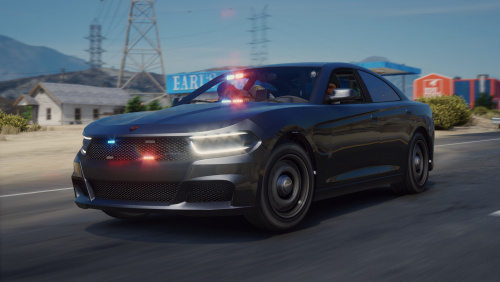
The San Andreas Governor's Office has launched a new subsidized traffic enforcement program in an effort balance the state budget's dwindling tax revenue by increasing traffic citation revenue. The program is a co-operation between citizens and authorities, as the citizens conduct the infractions and the law enforcement officers write the citations, working together for a better tomorrow in San Andreas. A lore-friendly Buffalo SX unmarked traffic enforcement unit, inspired by the San Antonio Police Dept. (TX)'s unmarked traffic enforcement Dodge Chargers. The pack includes an unmarked traffic enforcement Buffalo SX with appropriate equipment for the job. A huge thank you and shoutout to Jacobmaate for his awesome assets, and Nacho for the Buffalo SX model. Installation instructions for DLC add-on: The Siren Setting Limit Adjuster is required to stop sirenSetting conflicts with other packs! The Gameconfig is required to support multiple addon vehicles, otherwise your game may crash! The Dynamic Lighting System is recommended to be able to use non-ELS stage lights. Please let me know if there are any issues with the vehicles or if there are credits missing.
- 18 comments
- 2 reviews
-
-
-

- 8
-
-
-
-
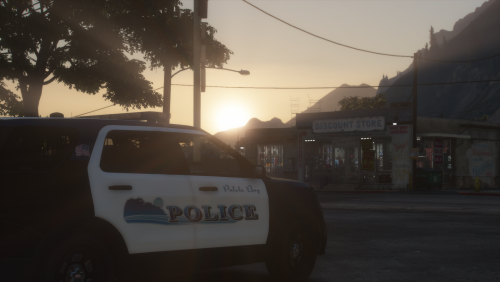 A church, bank, gun store, bar, and now its own police department ... what more do you need to enjoy life in rural America? A lore-friendly Paleto Bay Police pack, inspired by the Moreno Valley Police Dept. (Contracted by the Riverside County Sheriff's Dept., CA). The pack includes a couple of marked patrol vehicles along with an unmarked traffic unit. Installation instructions for DLC add-on: The Siren Setting Limit Adjuster is required to stop sirenSetting conflicts with other packs! The Gameconfig is required to support multiple addon vehicles, otherwise your game may crash! The Dynamic Lighting System is recommended to be able to use non-ELS stage lights. Please let me know if there are any issues with the vehicles or if there are credits missing, and good luck enforcing law & order the northwestern foot of Mount Chiliad.
- 3 comments
- 4 reviews
-
-
-
- 9
-
-
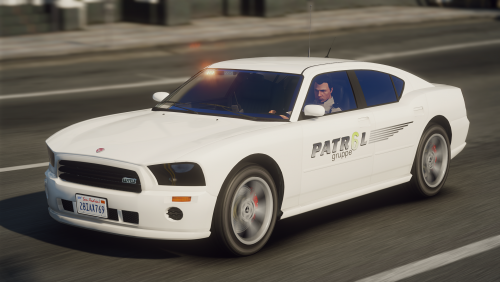 A lore-friendly mini-pack for Gruppe6's patrol division featuring a fictive design inspired by various US security firms. The pack includes one Bravado Buffalo and one Vapid Scout with optional extras, enabling it to be both a slicktop unit and/or have a roof mounted lightbar. The pack includes the following vehicles: A huge thank you and shoutout to Jacobmaate for his awesome assets and /w for beta testing and helping me out with questions. Installation instructions for DLC add-on: The Siren Setting Limit Adjuster is required to stop sirenSetting conflicts with other packs! The Gameconfig is required to support multiple addon vehicles, otherwise your game may crash! Please let me know if there are any issues with the vehicles or if there are credits missing, and enjoy keeping the proud and privileged citizens of Rockford Hills safe.
 -
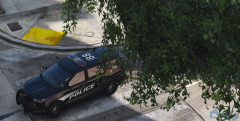
From the album: Vanilla Lore
-
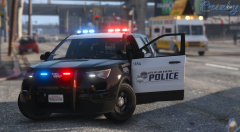 I use VisualVanilla with the highest default game settings
 -
-
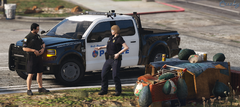 It's a part of a WIP Del Perro Police vehicle pack I'm currently working on, which will be released when it has been completed
 -
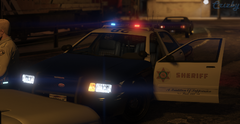 Vehicles that have been done are the Stanier, Scout, Scout II, Alamo and Landstalker XL. You can see some of them in this video: https://www.youtube.com/watch?v=JZZGOWmfQ7M
 -
It's private for now along with the car. There may be a pack release in the future, I haven't decided for that yet, along with obtaining public release permissions for all of the vehicle assets
-
From the album: Vanilla Lore
Don't mind the newly changed door trim, which sits a bit lower on the doors than the previous version. I'll adjust the liveries accordingly in the future. -
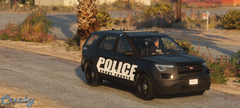
From the album: Vanilla Lore
-
-
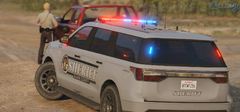 It's a part of a WIP vehicle pack that I will hopefully release in the future
 -
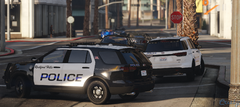
From the album: Vanilla Lore
-
From the album: Vanilla Lore
-
-
From the album: Vanilla Lore
Something that isn't California based for once, a little light show can be found here: https://www.youtube.com/watch?v=0M4qudvAIWQ -
-
-
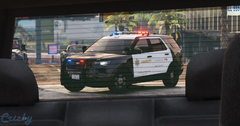
From the album: Vanilla Lore