Skip to content
View in the app

A better way to browse. Learn more.

LCPDFR.com

A full-screen app on your home screen with push notifications, badges and more.

To install this app on iOS and iPadOS
  1. Tap the Share icon in Safari
  2. Scroll the menu and tap Add to Home Screen.
  3. Tap Add in the top-right corner.
To install this app on Android
  1. Tap the 3-dot menu (⋮) in the top-right corner of the browser.
  2. Tap Add to Home screen or Install app.
  3. Confirm by tapping Install.

NLM

Members
  • Joined

  • Last visited

Files posted by NLM

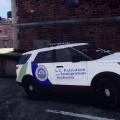
  1. This is LC Noose livery I made for the 2013 Ford Explorer by UndercoverChicken.
    I haven't found any LC noose liveries for this model so decided to upload it here.
    This is my 1st submission so please rate and comment.

    Link to the model I used for screen shots;


    compatible models;
    FE by KevinDV
    FE by Policefanatic (model I mentioned above)
    FE by EVI

    You need to choose the skin compatible with the model you are using. Please refer to the readme of a model to find out the owner of that specific model.
    • 167 Downloads
    • 5 Comments
    Updated

Account

Navigation

Search

Search

Configure browser push notifications

Chrome (Android)
  1. Tap the lock icon next to the address bar.
  2. Tap Permissions → Notifications.
  3. Adjust your preference.
Chrome (Desktop)
  1. Click the padlock icon in the address bar.
  2. Select Site settings.
  3. Find Notifications and adjust your preference.