



phoenixpolice
Members
-
Joined
-
Last visited
Everything posted by phoenixpolice
-
Yes, sirenmastery works with it, but there are alot of key conflicts that you will have to fix. I don't know why your siren wouldn't work, it should. To be honest, I wouldn't recommend running sirenmastery with ELS, because I only did it so I could have more than 4 sirens. If you want, I can help you fix the ELS problem, or help you install Sirenmastery with ELS.
-
I could try, never done it before though so be patient.
-
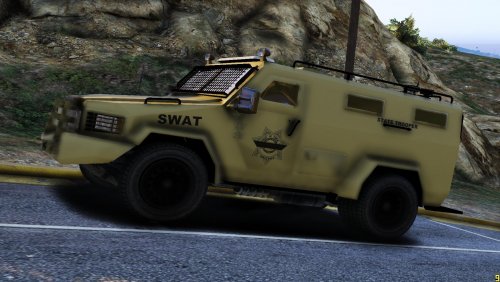 I'm loving these DPS/ Arizona themed vehicles! I believe the DPS's Bearcats are a bit more green though, I'm not sure.
 -
 Alright man, thanks. I couldn't tell if it would go under misc. or visual. Thanks guys!
- 4 comments
- 3 reviews
-
Reached over 500+ downloads on GTA5-Mods.com so... here you go! This is a texture mod for @Diab0 's Glock 17 mod. This is a simple texture mod, I do not deserve any credit. I hope to release more colored skins in the future. Cheers! You need to download this file first! https://www.gta5-mods.com/weapons/glock-17-diab0Do NOT distribute this mod elsewhere!
- 4 comments
- 3 reviews
-
-

- 2
-
-
Hmm? I have nothing against any authors, I am just giving a hint that I would like to see one in-game.
-
Minor stroke*
-
Oh, didn't realize that it is a pay to use mod :/
-
Will will it be released?
-
Yeah but you need zmodeler and all of that... right?
-
-
 What do you use to edit with? Microsoft Paint?... Get Gimp or something a bit more serious, because you don't seem like you don't seem to be putting as much time as you should into your mods. Also, you should make more textures for different vehicles other than the Taurus. And finally, PUT SCREENSHOTS FROM IN-GAME UP!!! This is a huge problem, because I don't think you tested any of your mods before release...
- 19 comments
- 3 reviews
-
-
- 3
-
-
@Chief1234 Awesome, can't wait! Let me know if you want me to "beta test" anything.
-
Awesome! I would LOVE to see Phoenix, Chandler, Mesa, Gilbert, and Tempe.... What cars do you plan to use? Or I mean what vehicles are you going to use for the liveries? And are you making this for IV or V? I see all of your mods are for IV... @Chief1234
-
Oooohhh... I am pumped about this, do you plan on making that ambulance too? All of the valley uses that ambulance.... or at least Chandler... Dont do 9 aswell, do 8.
-
cool.
-
Any chances of releasing these anytime soon?
-
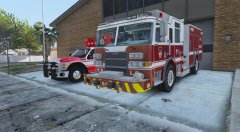 Mind if I become a "Beta Tester"?
 -
Yo, there is a fix for every problem in gta- delete everything gta related and re-install... download your mods back dont use the old ones. This is something that all of us have to do every other month or so.
-
Must. Have. Ingame. NOW. I could be a "Beta Tester" if you'd like :)
-
 So, i need sirenmastery for this to work even if i use els or not at all? i put them in-game and i could not any sirens....
- 51 comments
- 13 reviews
-
some, but ive been having to crunch with school, i expect to be done with this within a few months.
-
That car looks fuckin hot dude, I could live without the wing though. Or at least put s different one on it.
-
Guys, he is just requesting this model to be in-game. He doesn't have to buy it, he is simply letting others know that he would like it.
-
It's always been possible, just nobody has made an arrow board yet... well, at least not an American one and not on this website... as for the amber traffic advisory, switch your els patterns, you can get ones that sweep right to left and left to right.

