





Fire in Davis
rndNO.thumb.png.c29b8238a5f60bc4aa83dc5b27158e8d.png)
By medic4523
- 4,663 views
- View medic4523's images
Davis Fire Station 2 responds to reports of fire in an attached garage.
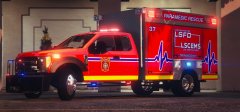
Ladder 205 arrives and requests a working fire response for smoke and flames from the Alpha/Delta corner of an attached garage, with extension into the home. They ladder the structure and begin defensive attack. Engine 201 arrives and backs down to supply the ladder and stretch attack lines. Chief 210 assumes command of the fire scene. Rescue 211 begins primary searches.
The remainder of the alarm was filled by Los Santos Fire Dept units arriving shortly after. No injuries were reported. Davis Fire Fighters did revive one family pet. Red Cross was involved to provide support for the family.


Recommended Comments
Join the conversation
You can post now and register later. If you have an account, sign in now to post with your account.