

Skip to content
View in the app

A better way to browse. Learn more.

LCPDFR.com

A full-screen app on your home screen with push notifications, badges and more.

To install this app on iOS and iPadOS
  1. Tap the Share icon in Safari
  2. Scroll the menu and tap Add to Home Screen.
  3. Tap Add in the top-right corner.
To install this app on Android
  1. Tap the 3-dot menu (⋮) in the top-right corner of the browser.
  2. Tap Add to Home screen or Install app.
  3. Confirm by tapping Install.

Just drop it already

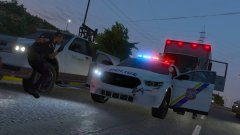
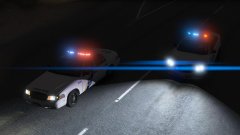
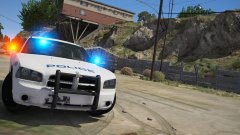
I can't hold back the release date on this anymore, I've held it back since May when it was supposed to be released, Now it's time to just drop it & call it. The pack is only gonna have a few cars for now, I'll add the Utilities & the 2011 Tahoe later. I'm not gonna say what day, I'm just gonna release it & move on to something else.

20171126235459_1.jpg

20171126234848_1.jpg

From the album:

V Screenshots

· 138 images

Account

Navigation

Search

Search

Configure browser push notifications

Chrome (Android)
  1. Tap the lock icon next to the address bar.
  2. Tap Permissions → Notifications.
  3. Adjust your preference.
Chrome (Desktop)
  1. Click the padlock icon in the address bar.
  2. Select Site settings.
  3. Find Notifications and adjust your preference.