

Skip to content
View in the app

A better way to browse. Learn more.

LCPDFR.com

A full-screen app on your home screen with push notifications, badges and more.

To install this app on iOS and iPadOS
  1. Tap the Share icon in Safari
  2. Scroll the menu and tap Add to Home Screen.
  3. Tap Add in the top-right corner.
To install this app on Android
  1. Tap the 3-dot menu (⋮) in the top-right corner of the browser.
  2. Tap Add to Home screen or Install app.
  3. Confirm by tapping Install.

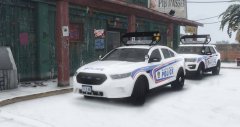
A double on ice

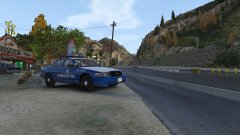
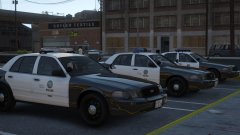
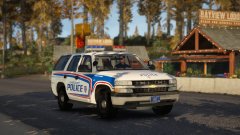
The pack is pretty much done. Added a '16 FPIU with and without an arrow board and a '16 FPIS with an arrow board. That makes the pack now consist of five vehicles. Just sorting out VCF's and other files my testers are going to need. 


Testers: Watch your inbox's, I'll be sending out the test pack within the next few hours. :thumbsup:


20171120161836_1.thumb.jpg.2786df1b48165c103e0dd79758ae197c.jpg

5a13147fd1747_20171120162038_1-Copy.thumb.jpg.56befd21096c23fae6a2b6b184878f04.jpg

Copyright

© Jedahdiah

From the album:

Jed's Models

· 124 images

Account

Navigation

Search

Search

Configure browser push notifications

Chrome (Android)
  1. Tap the lock icon next to the address bar.
  2. Tap Permissions → Notifications.
  3. Adjust your preference.
Chrome (Desktop)
  1. Click the padlock icon in the address bar.
  2. Select Site settings.
  3. Find Notifications and adjust your preference.