


Shipping to a store near you

By DcK
- 1,523 views
- View DcK's images
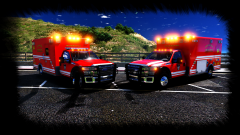
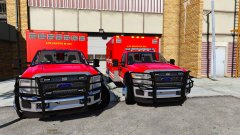
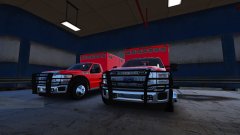
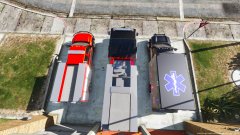
Well the time has come for me to put out the second version of my ambulance. I originally was only going to make one but I realized there was so much I wanted to add that I thought why not make two?
Medic 861 Features:
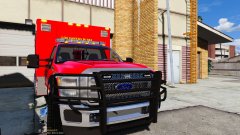
Ranch Hand push bar w/ 4 LINZ6 LEDs on the grill and 2 on either side
Federal Signal Quadraflares on either side of the front fenders. Angled for intersection warning lighting
7 Federal Signal Quadraflares above the cab
Quadraflares on both sides of the patient compartment w/ independent scene lighting
Quadraflares to the rear w/ a Whelen TAL85 6 module traffic advisor
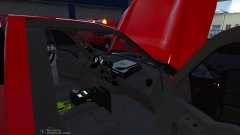
Interior Equipment features:
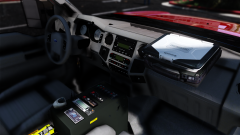
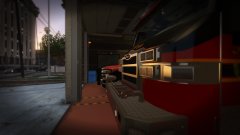
Custom Havis console w/ custom emergency & scene lighting control switches, Whelen siren & TA controller, Motorola XTL5000 radio with mic, other misc equipment
Custom seat side storage boxes w/ custom FD equip
Panasonic toughbook w/ ELS arrowboard feature for laptop lid
Communication Headsets
Medic 862 Features:
All the same lighting with the exception of a few removed modules; 5 from above the cab, 2 from push bar grill, middle upper modules of patient box, center module at rear of the box
Added Whelen Ultra Freedom
Removed ELS arrowboard from laptop lid, boot will become side door to patient box
Interior Equipment features:
All the same interior equipment with the except of a new toughbook added (from buggs)
Both Medics feature:
Custom skins w/ template
Custom ELS.xml (model has been designed around a specific lighting pattern)
Front white light kill when out of vehicle


Recommended Comments
Join the conversation
You can post now and register later. If you have an account, sign in now to post with your account.