Skip to content
View in the app

A better way to browse. Learn more.

LCPDFR.com

A full-screen app on your home screen with push notifications, badges and more.

To install this app on iOS and iPadOS
  1. Tap the Share icon in Safari
  2. Scroll the menu and tap Add to Home Screen.
  3. Tap Add in the top-right corner.
To install this app on Android
  1. Tap the 3-dot menu (⋮) in the top-right corner of the browser.
  2. Tap Add to Home screen or Install app.
  3. Confirm by tapping Install.

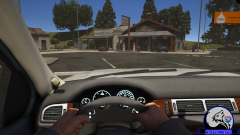
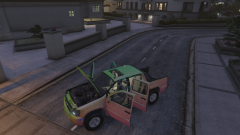
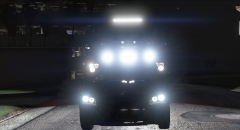
2008 Avalanche first game test

been working on this avalanche just put it in game to see where im at and doesnt look like to much on the base to go, need to fix the boot rotation, and the illumination of my dash stuff. and then probably forget about it for a year b4 i start to do something with it LOL


T2acVGGzia04Z207mAuIvFPckjSUZ-INYOmdJcLD

sQBVOF-XwDOyLOYiH_B5oA5hl_hdE5AVIgxLHXzy

From the album:

Wolfrunner V

· 22 images

Account

Navigation

Search

Search

Configure browser push notifications

Chrome (Android)
  1. Tap the lock icon next to the address bar.
  2. Tap Permissions → Notifications.
  3. Adjust your preference.
Chrome (Desktop)
  1. Click the padlock icon in the address bar.
  2. Select Site settings.
  3. Find Notifications and adjust your preference.