Skip to content
View in the app

A better way to browse. Learn more.

LCPDFR.com

A full-screen app on your home screen with push notifications, badges and more.

To install this app on iOS and iPadOS
  1. Tap the Share icon in Safari
  2. Scroll the menu and tap Add to Home Screen.
  3. Tap Add in the top-right corner.
To install this app on Android
  1. Tap the 3-dot menu (⋮) in the top-right corner of the browser.
  2. Tap Add to Home screen or Install app.
  3. Confirm by tapping Install.

San Santos

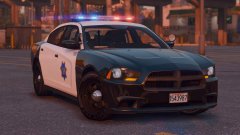
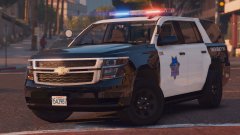
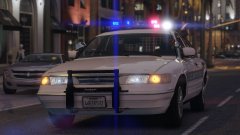
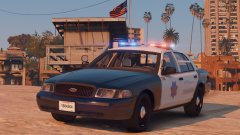
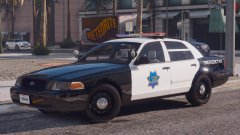
I've begun work on the San Francisco based part of my "Bay Area Project". It will include SFPD (LSPD) and Marin County Sheriff (BCSD).

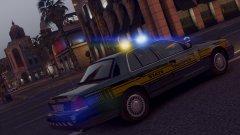
This car is still in super early stages of development, still need to fix and add MANY things. The LSPD will also be recieving an older model CVPI with a Whelen Edge (with other, more modern cars). These cars are to be to California specifications with steady-burns set up the same way as they are in reality. Hoping to add ALPRs too. Also, this CVPI has the same sized wheels all around :D

(Looks like the lightbar orientation got messed up on export, great.)

20170925230217_1.thumb.jpg.05cbd8dda554568259507ebaa21d11f8.jpg20170925225850_1.thumb.jpg.dab25c9742ca990ad4f5f1a5425a2ad0.jpg20170925225749_1.thumb.jpg.9aa864edc90630f9f436d1583a1fda25.jpg

Account

Navigation

Search

Search

Configure browser push notifications

Chrome (Android)
  1. Tap the lock icon next to the address bar.
  2. Tap Permissions → Notifications.
  3. Adjust your preference.
Chrome (Desktop)
  1. Click the padlock icon in the address bar.
  2. Select Site settings.
  3. Find Notifications and adjust your preference.