


F-350 Crew Cab ELS Slicktop: Need Livery Idea's

By SoCal Thero
- 5,420 views
- View SoCal Thero's images
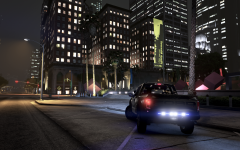
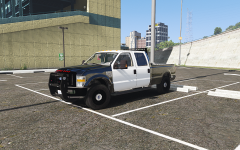
So I just got done Frankenstein this Ford F-350 Dev Model from a Super Cab 2 Door Truck to a Super Crew 4 Door Truck (I like to be able to place suspects in the back if I want to or transport them myself). It is an ELS model and pretty much complete minus Livery.
I'm stuck on a Livery idea for it. Open to all suggestions......Of anyone that catches this image in time lol.
Preview Video being hosted on my channel is linked below:
Watch me Build Vehicles Live on Twitch:
https://www.twitch.tv/socalthero2002
Watch me Patrol with them on my YouTube Channel:
https://www.youtube.com/channel/UCIm01FWoNzI-O8kGimU4Ftg?view_as=subscriber
Recommended Comments
Join the conversation
You can post now and register later. If you have an account, sign in now to post with your account.