




SOMETHING DIFFERENT!

By CG Blaze
- 1,146 views
- View CG Blaze's images
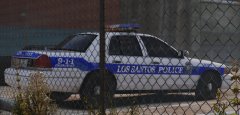
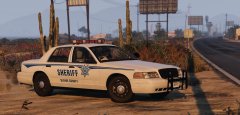
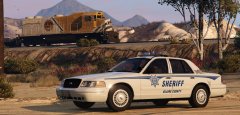
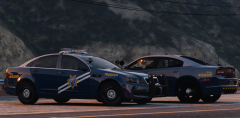
Good lord am I tired of 2011 CVPI's with LED bars.
Thankfully, @flwpheonix masterfully created a set of 98-99 Vics with rotators to play with, and I'm absolutely in love with them!
You can tell he put a lot of care and effort into making this pack, so I'm gonna shout him out here and give him a lil more exposure because I think he deserves it.
I tend to envision Blaine County's Sheriff Dept. as a low budget agency that couldn't afford fancy graphics and would use equipment until it was completely destroyed by the desert. These cars, combined with this skin by @iansonwheels and a little weathering by yours truly really sells that idea, in my opinion.
What do you think?
EDIT: I should probably include a link to the pack, huh?
and LSPDFR staff: this would make a great featured file. Just sayin'!
Recommended Comments
Join the conversation
You can post now and register later. If you have an account, sign in now to post with your account.