

Skip to content
View in the app

A better way to browse. Learn more.

LCPDFR.com

A full-screen app on your home screen with push notifications, badges and more.

To install this app on iOS and iPadOS
  1. Tap the Share icon in Safari
  2. Scroll the menu and tap Add to Home Screen.
  3. Tap Add in the top-right corner.
To install this app on Android
  1. Tap the 3-dot menu (⋮) in the top-right corner of the browser.
  2. Tap Add to Home screen or Install app.
  3. Confirm by tapping Install.

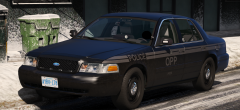
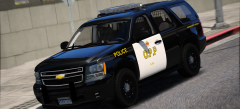
Ville de Québec

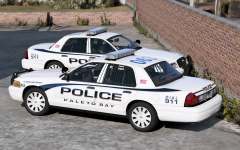
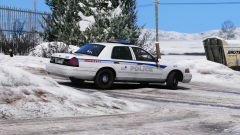
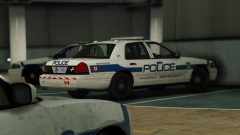
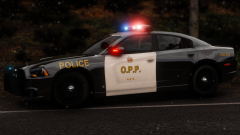
Screenshots by @Slendis


(R/B Lightbar glass looks like insanely red in the bottom screenshots, dont know why it isn't that see through in game probably R* editor)

271590_20170519020713_1.thumb.png.d0a9da28334e115db3013c77df59f65c.png


271590_20170519020958_1.thumb.png.258b72ddabe3c645d3084e6be300c385.png


271590_20170519021013_1.thumb.png.ba1152fd71a4a378582972cc21d51755.png

Credit

t0y, Slendis

Copyright

© t0y, Slendis

From the album:

t0y's Projects

· 127 images

Account

Navigation

Search

Search

Configure browser push notifications

Chrome (Android)
  1. Tap the lock icon next to the address bar.
  2. Tap Permissions → Notifications.
  3. Adjust your preference.
Chrome (Desktop)
  1. Click the padlock icon in the address bar.
  2. Select Site settings.
  3. Find Notifications and adjust your preference.