
Skip to content
View in the app

A better way to browse. Learn more.

LCPDFR.com

A full-screen app on your home screen with push notifications, badges and more.

To install this app on iOS and iPadOS
  1. Tap the Share icon in Safari
  2. Scroll the menu and tap Add to Home Screen.
  3. Tap Add in the top-right corner.
To install this app on Android
  1. Tap the 3-dot menu (⋮) in the top-right corner of the browser.
  2. Tap Add to Home screen or Install app.
  3. Confirm by tapping Install.

Updates...

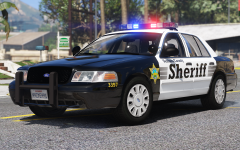
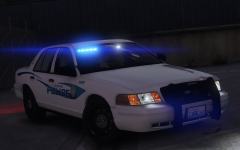
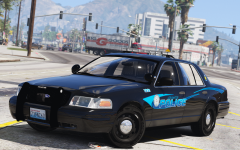
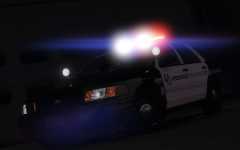
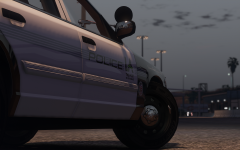
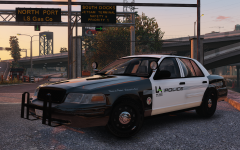
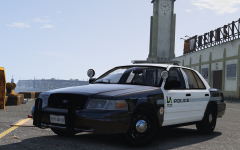
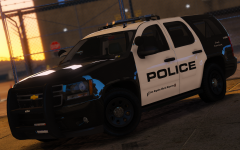
So a lot has happened since the last gallery image.  The car received some new front seats, spotlights, and door trim from Forza, so now your officer can sit in the comfort of his/her stylish vic and at the same time use thier shiny new spotlights to find those pesky criminals, or if he/she needs to clear an obstruction in the road they can use the freshly installed Pb200.  (Don't mind the interior equipment, as I haven't swapped out the place holder stuff for the new stuff yet.)

Spoiler

271590_20170226010306_1.thumb.png.57986fdb95e5fd172569433bb2da0e77.png271590_20170225164224_1.thumb.png.74d1a57f814feabce46705e5f84caffc.png271590_20170225164237_1.thumb.png.09d4aab2a5200d5ed6219c4846894157.png271590_20170226010202_1.thumb.png.d91c324fd0db004019799f08ff81c18f.png


Credit

scuderio, Five0, steinberg, solo

Copyright

© West Valley Designs

From the album:

West Valley Designs junk

· 58 images

Account

Navigation

Search

Search

Configure browser push notifications

Chrome (Android)
  1. Tap the lock icon next to the address bar.
  2. Tap Permissions → Notifications.
  3. Adjust your preference.
Chrome (Desktop)
  1. Click the padlock icon in the address bar.
  2. Select Site settings.
  3. Find Notifications and adjust your preference.