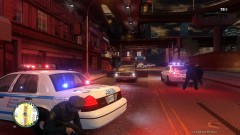
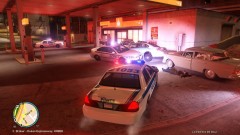
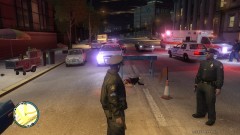
CRIME SCENE - DO NOT CROSS Share https://www.lcpdfr.com/gallery/image/7916-crime-scene-do-not-cross/ Share on Facebook Share on X {lang="reddit_text" More sharing options... Followers A routine traffic stop turns deadly when the female in question pulled a H&K MP7 submachine gun on two LCPD officers. Shots were exchanged between the two parties; things didn't go so well for the offender.
ayanpati Members October 14, 201213 yr Author stats great!love these oldies....questions- 1. cvpi-which car? 2.ambulence +texture-link?
FCV96 Members October 19, 201213 yr Author stats are those cvpi-sgt kanyo's? Sorry for the late reply, but those CVPIs are cj24's. They are fantastic. :D
FCV96 Members October 19, 201213 yr Author stats Also, the ambulance is Luxart's, find it here; http://gtapolicemods.com/downloads.php?do=file&id=511
guppy19 Members January 5, 201511 yr Author stats look at that cute little car all the way to the left its so tiny!
hellboyPMloco Members December 30, 20205 yr (edited) Author stats give me this mod please please bro Edited December 30, 20205 yr by hellboyPMloco





Recommended Comments
Join the conversation
You can post now and register later. If you have an account, sign in now to post with your account.