






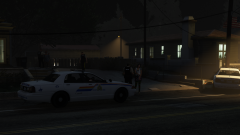




Late night domestic.

By DukSezQuak
- 312 views
- View DukSezQuak's images
Multiple RCMP members attended a residence late Friday night after a 911 call was made from a landline, followed by an immediate hangup. Communications traced the phone number to a residence, where a male and a female were outside arguing verbally.
Members separated the two and discovered that what seemed to be a harmless surprise pillow fight, turned into a surprise argument and physical fight. Police had to arrest the male for domestic assault, and the female was referred to a local shelter for safety until a justice can hear their case and decide official charges.
The male has since been released on conditions, and a no-contact order was issued to both parties.
Recommended Comments
Join the conversation
You can post now and register later. If you have an account, sign in now to post with your account.