





Skip to content
View in the app

A better way to browse. Learn more.

LCPDFR.com

A full-screen app on your home screen with push notifications, badges and more.

To install this app on iOS and iPadOS
  1. Tap the Share icon in Safari
  2. Scroll the menu and tap Add to Home Screen.
  3. Tap Add in the top-right corner.
To install this app on Android
  1. Tap the 3-dot menu (⋮) in the top-right corner of the browser.
  2. Tap Add to Home screen or Install app.
  3. Confirm by tapping Install.

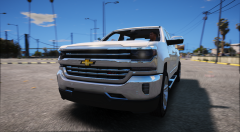
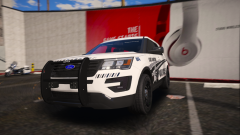
Its almost ready for release!

Most likely Going to be released this week, along with the marked, depending on how much time i have outside my job.

Yes I am aware the speakers are too small.


Once again gorgeous skin by @getinmybelly0627


271590_20161120213819_1.png271590_20161120213734_1.png271590_20161120213719_1.png271590_20161120213843_1.png271590_20161120213759_1.png271590_20161120213920_1.png

From the album:

Thehurk's WIPS

· 73 images

Account

Navigation

Search

Search

Configure browser push notifications

Chrome (Android)
  1. Tap the lock icon next to the address bar.
  2. Tap Permissions → Notifications.
  3. Adjust your preference.
Chrome (Desktop)
  1. Click the padlock icon in the address bar.
  2. Select Site settings.
  3. Find Notifications and adjust your preference.