Skip to content
View in the app

A better way to browse. Learn more.

LCPDFR.com

A full-screen app on your home screen with push notifications, badges and more.

To install this app on iOS and iPadOS
  1. Tap the Share icon in Safari
  2. Scroll the menu and tap Add to Home Screen.
  3. Tap Add in the top-right corner.
To install this app on Android
  1. Tap the 3-dot menu (⋮) in the top-right corner of the browser.
  2. Tap Add to Home screen or Install app.
  3. Confirm by tapping Install.

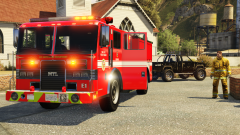
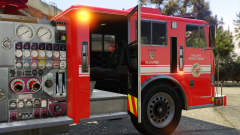
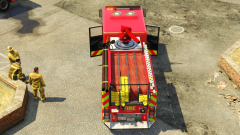
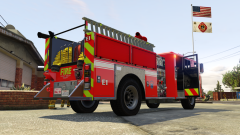
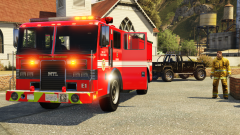
Engine 1 - Rejuvenated

Something i worked on this week. I cleaned up several texture files for the vanilla fire truck. I improved the overall aluminum look for the pump gauge panel, as well as the ladder on the sides. Whelen light textures, and many more. Can you spot them all ?
 
I will release this if anyone is interested. I will also include my custom carcol file that was used in the video. 


  • From the album:

    GravelRoadCop

    · 169 images

    Account

    Navigation

    Search

    Search

    Configure browser push notifications

    Chrome (Android)
    1. Tap the lock icon next to the address bar.
    2. Tap Permissions → Notifications.
    3. Adjust your preference.
    Chrome (Desktop)
    1. Click the padlock icon in the address bar.
    2. Select Site settings.
    3. Find Notifications and adjust your preference.