



Skip to content
View in the app

A better way to browse. Learn more.

LCPDFR.com

A full-screen app on your home screen with push notifications, badges and more.

To install this app on iOS and iPadOS
  1. Tap the Share icon in Safari
  2. Scroll the menu and tap Add to Home Screen.
  3. Tap Add in the top-right corner.
To install this app on Android
  1. Tap the 3-dot menu (⋮) in the top-right corner of the browser.
  2. Tap Add to Home screen or Install app.
  3. Confirm by tapping Install.

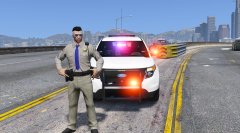
Update On The Slicktop Again

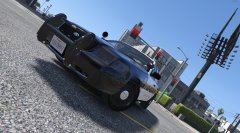
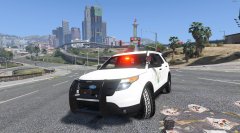
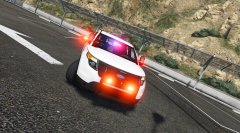
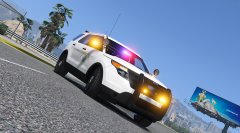
Got Tired And Skin Problem, Added The Red Spotlight And Now Foglights Light Up Like The Real Thing Enjoy! Oh Yeah and Parking mode on the blue is gone, For Some Reason.....

Front-https://gyazo.com/236f251409f87a624b63ca691aab2aaa

Back-https://gyazo.com/0f4ec723813252c285df745d2026910b


Credit

Same As The Last CHP Slicktop Stuff

Copyright

© TWISTEDSCOPES

From the album:

W.I.P Models (GTA V)

· 137 images

Account

Navigation

Search

Search

Configure browser push notifications

Chrome (Android)
  1. Tap the lock icon next to the address bar.
  2. Tap Permissions → Notifications.
  3. Adjust your preference.
Chrome (Desktop)
  1. Click the padlock icon in the address bar.
  2. Select Site settings.
  3. Find Notifications and adjust your preference.