Skip to content
View in the app

A better way to browse. Learn more.

LCPDFR.com

A full-screen app on your home screen with push notifications, badges and more.

To install this app on iOS and iPadOS
  1. Tap the Share icon in Safari
  2. Scroll the menu and tap Add to Home Screen.
  3. Tap Add in the top-right corner.
To install this app on Android
  1. Tap the 3-dot menu (⋮) in the top-right corner of the browser.
  2. Tap Add to Home screen or Install app.
  3. Confirm by tapping Install.

Attempted police vehicle theft

PRIORITY: INFORMATION ONLY

26th JAN 2016, Vinewood PD / 

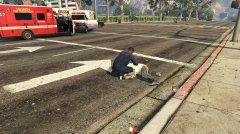
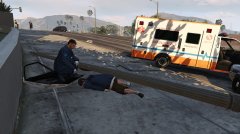
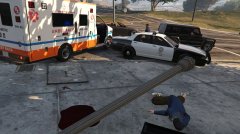
As an LSPD officer was returning to his vehicle after a routine traffic stop, a man approached and entered the vehicle before the officer. The officer drew his weapon and ordered him out of the vehicle when the suspect suddenly returned fire, at which point the officer had no choice but to terminate the man. The suspect was pronounced dead on-scene by paramedics.

*Officer kept anonymous for his protection* 

city of lspd.png


  • From the album:

    LSPD Report

    · 3 images

    Account

    Navigation

    Search

    Search

    Configure browser push notifications

    Chrome (Android)
    1. Tap the lock icon next to the address bar.
    2. Tap Permissions → Notifications.
    3. Adjust your preference.
    Chrome (Desktop)
    1. Click the padlock icon in the address bar.
    2. Select Site settings.
    3. Find Notifications and adjust your preference.