


GTAIV 2015 03 16 17 06 49 85

By PolGuin255
- 518 views
- View PolGuin255's images
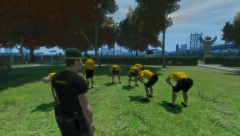
ACSO Week 8 , Recruit Diary. Firearms training. Here we can see Cadet smith under the instruction of Sgt Marks on the proficient use of the Glock 17.
Firearms safety training is key skill the cadets will have to grasp. Each cadet will undertake 6 skill shoots, all pass or fail. Should the cadet fail any of the shoot they will be allowed one resit, failing that they will leave the Academy.
Each Cadet is assigned a Firearms instructor on a one to one basis to make sure the cadet receives the best training they can. The weapons the cadets are using now will be their service weapon if they achieve the status of deputy.
Recommended Comments
Join the conversation
You can post now and register later. If you have an account, sign in now to post with your account.