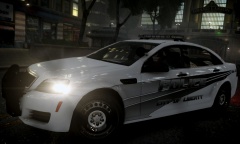
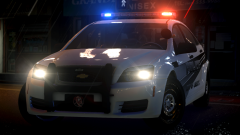
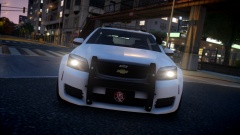
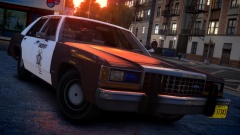
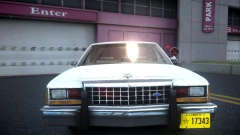
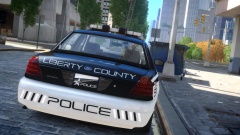
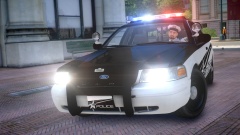
City of Liberty Police Caprice Share https://www.lcpdfr.com/gallery/image/45351-city-of-liberty-police-caprice/ Share on Facebook Share on X {lang="reddit_text" More sharing options... Followers The model was thrown together in a few minutes, so hold your complaints about it not being a proper PPV and the rambar being wrong. I'm mainly showcasing the texture.
Illusionyary Members February 11, 201511 yr Author stats Very Nice! Great detail! Thanks. I still need to work out some kinks and transfer it over to a template I can actually release with.
McAwesome6934 Members February 11, 201511 yr Author stats Wow that skin looks amazing!(: I really like those rims too!
Illusionyary Members February 12, 201511 yr Author stats Wow that skin looks amazing!(: I really like those rims too! KevinDV works wonders!
PhillBellic Members February 13, 201511 yr Author stats This looks good. What would make it better? Well, the inclusion of lights in the ram bar, front and rear deck lights, side lights, traffic adviser, dash cam, antennae, and ALPR/ANPR cameras. That's (some of) my wishlist anyway. :) Cheers.
Illusionyary Members February 13, 201511 yr Author stats Well, the inclusion of lights in the ram bar, front and rear deck lights, side lights, traffic adviser, dash cam, antennae, and ALPR/ANPR cameras. That's (some of) my wishlist anyway. :) Like I said in the description, it was virtually thrown together in about 3 minutes just so I had something to showcase the texture on. The actual car it's based off has none of that, regardless. '>
PhillBellic Members February 13, 201511 yr Author stats Like I said in the description, it was virtually thrown together in about 3 minutes just so I had something to showcase the texture on. The actual car it's based off has none of that, regardless. '> So, you have made the vehicle as well? Anyway, great work with the livery. p.s. if you would like to remake the car, with my wish list components, I would download it. :) p.p.s. spotlights would look good on the Caprice as well. :)
Illusionyary Members February 13, 201511 yr Author stats So, you have made the vehicle as well? Anyway, great work with the livery. p.s. if you would like to remake the car, with my wish list components, I would download it. :) p.p.s. spotlights would look good on the Caprice as well. Yes, I put it together. Unfortunately, as per request of KevinDV, this model is private. Unless Kevin gives me permission, or releases his Caprice unlocked (both unlikely so don't get your hopes up), I can't release this model at all. Sorry.





Recommended Comments
Join the conversation
You can post now and register later. If you have an account, sign in now to post with your account.