Skip to content
View in the app

A better way to browse. Learn more.

LCPDFR.com

A full-screen app on your home screen with push notifications, badges and more.

To install this app on iOS and iPadOS
  1. Tap the Share icon in Safari
  2. Scroll the menu and tap Add to Home Screen.
  3. Tap Add in the top-right corner.
To install this app on Android
  1. Tap the 3-dot menu (⋮) in the top-right corner of the browser.
  2. Tap Add to Home screen or Install app.
  3. Confirm by tapping Install.

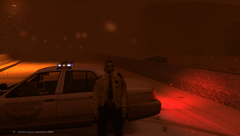
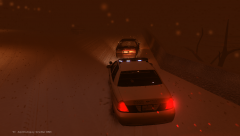
The State Highway Patrol closes the Highway

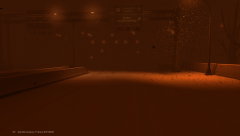
Another heavy shot of snow was forecasted to hit the Liberty City area today. Snow was sweeping in and the Liberty City Department of Transportation and the State Highway Patrol have announced a travel ban across the entire area until the snow subsides. State troopers have closed some on ramps and will continues to patrol and assist local police units. Remember to be safe out there.

  • From the album:

    Winter Weather

    · 4 images

    Account

    Navigation

    Search

    Search

    Configure browser push notifications

    Chrome (Android)
    1. Tap the lock icon next to the address bar.
    2. Tap Permissions → Notifications.
    3. Adjust your preference.
    Chrome (Desktop)
    1. Click the padlock icon in the address bar.
    2. Select Site settings.
    3. Find Notifications and adjust your preference.