


![[WIP] Starling City PD Dodge Charger [1 of 2][Arrow TV Show]](http://s3-gallery.int-cdn.lcpdfrusercontent.com/gallery/album_1959/gallery_786_1959_34114.png "[WIP] Starling City PD Dodge Charger [1 of 2][Arrow TV Show]")
![[WIP] Updated Starling City Dodge](http://s3-gallery.int-cdn.lcpdfrusercontent.com/gallery/album_1959/sml_gallery_786_1959_205226.jpg)
![[WIP] Starling City PD Dodge Charger [2 of 2][Arrow TV Show]](http://s3-gallery.int-cdn.lcpdfrusercontent.com/gallery/album_1959/sml_gallery_786_1959_43375.png)
![[WIP] Starling City PD Dodge Charger [1 of 2][Arrow TV Show]](http://s3-gallery.int-cdn.lcpdfrusercontent.com/gallery/album_1959/sml_gallery_786_1959_34114.png)


[WIP] Starling City PD Dodge Charger [1 of 2][Arrow TV Show]

By Nutronic
- 636 views
- View Nutronic's images
Here's a skin I am working on for the Dodge Charger located here: https://www.lcpdfr.com/files/file/6945-2013-lcso-dodge-charger/
It is inspired by this photo: http://4.bp.blogspot.com/-qlocx1FQTJ4/ULPIqui4N2I/AAAAAAAABtY/SeZJ2exqF6A/s1600/car1.jpg
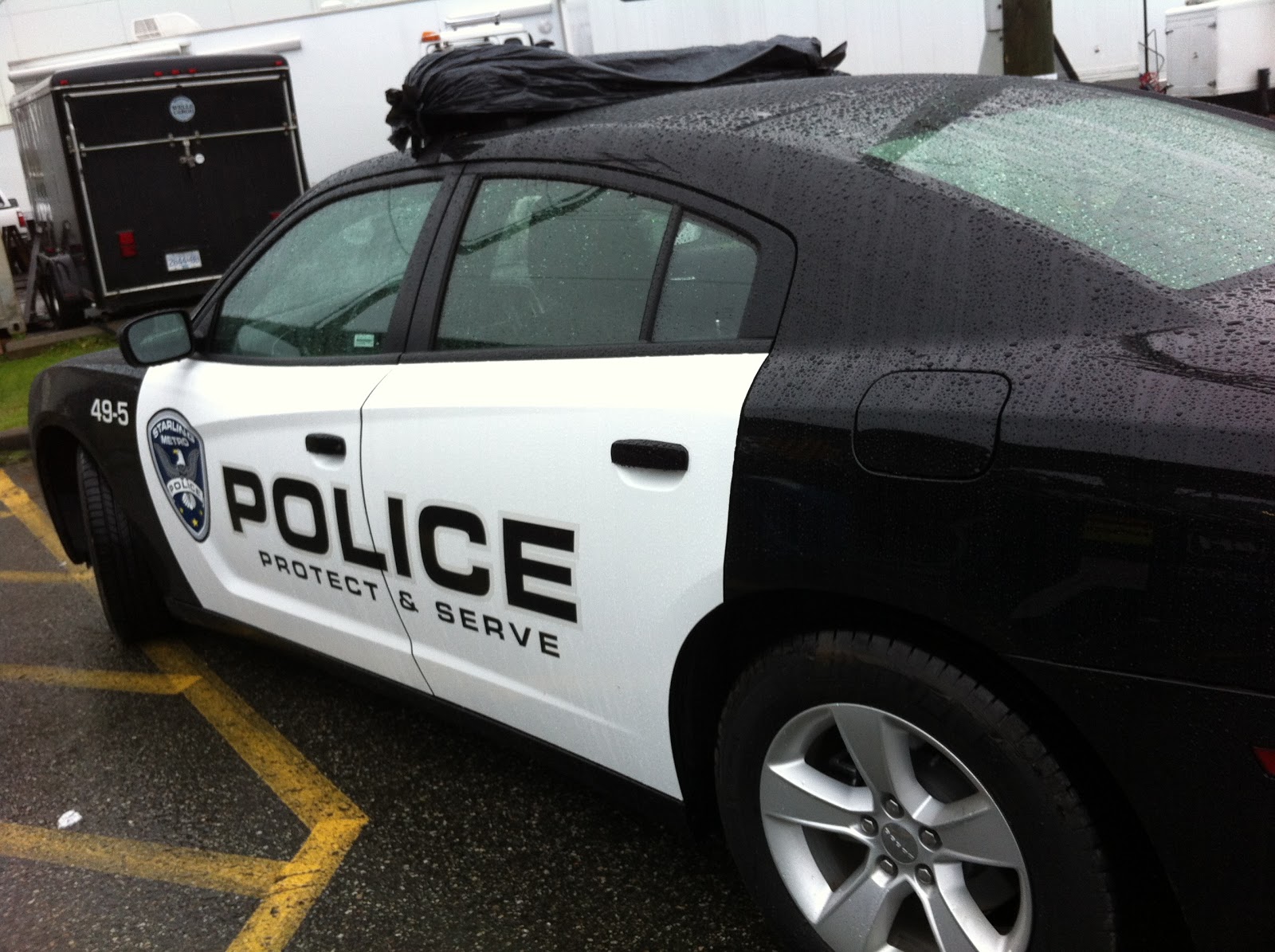
Starling City is the fictional setting for the tv show Arrow, hence why I placed the Arrow logo on the rear of the vehicle. I am also working on a Crown Vic but for some reason screenshots weren't working.
IT IS A WORK IN PROGRESS