


Skip to content
View in the app

A better way to browse. Learn more.

LCPDFR.com

A full-screen app on your home screen with push notifications, badges and more.

To install this app on iOS and iPadOS
  1. Tap the Share icon in Safari
  2. Scroll the menu and tap Add to Home Screen.
  3. Tap Add in the top-right corner.
To install this app on Android
  1. Tap the 3-dot menu (⋮) in the top-right corner of the browser.
  2. Tap Add to Home screen or Install app.
  3. Confirm by tapping Install.

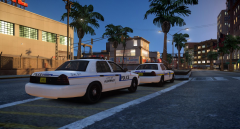
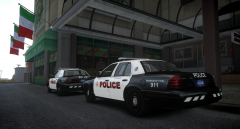
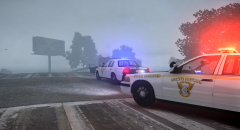
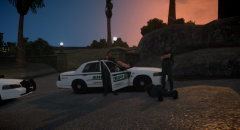
Crazy Friday.

During this year's Black Friday, the Broker-Dukes TWP Police had to respond to numerous fights in-progress at different stores throughout the Township. The Broker-Dukes TWP Police asks everyone to take it easy and not fight over goods as all parties in the fight will be arrested and charged with obstruction.

Based off 'Middletown Township Police Dept.' (PA)

Hopefully y'all had a nice and calm Black Friday :)

From the album:

W.I.P's and random pictures

· 80 images

Account

Navigation

Search

Search

Configure browser push notifications

Chrome (Android)
  1. Tap the lock icon next to the address bar.
  2. Tap Permissions → Notifications.
  3. Adjust your preference.
Chrome (Desktop)
  1. Click the padlock icon in the address bar.
  2. Select Site settings.
  3. Find Notifications and adjust your preference.