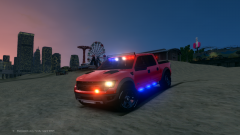
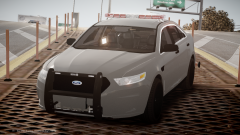
NYSP Taurus WIP Share https://www.lcpdfr.com/gallery/image/37375-nysp-taurus-wip/ Share on Facebook Share on X {lang="reddit_text" More sharing options... Followers Pushbar by NickieB Ions by Lccop Liberty by KevinDV, modified into NYSP version by Thehurk Tir3 TA by Thehurk, Modules by Hilth0 *i am aware of the wheel issues, they have been fixed after the screens were taken
CG Blaze Members August 1, 201411 yr Author stats I like what I'm seeing... PM me if you'd like some first-hand-account info on these cars. I see 'em daily. :)
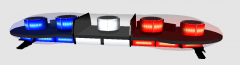
CrossFire Members August 1, 201411 yr Author stats You have the wrong module in the middle. It shouldn't be a takedown module, but a LED module. And you have the wrong takedowns in the middle, it shouldn't be a 3 module takedown, but a one module takedown. Seen here:
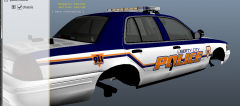
Deactivated Member Deactivated August 1, 201411 yr Author stats Rear wheel looks a bit popped out, but other than that, beautiful :D
thinblueline Members August 5, 201411 yr Author stats Wow, this looks fantastic so far. I'm really glad to see someone working on one. Can't wait to see it finished and released.






Recommended Comments
Join the conversation
You can post now and register later. If you have an account, sign in now to post with your account.