Skip to content
View in the app

A better way to browse. Learn more.

LCPDFR.com

A full-screen app on your home screen with push notifications, badges and more.

To install this app on iOS and iPadOS
  1. Tap the Share icon in Safari
  2. Scroll the menu and tap Add to Home Screen.
  3. Tap Add in the top-right corner.
To install this app on Android
  1. Tap the 3-dot menu (⋮) in the top-right corner of the browser.
  2. Tap Add to Home screen or Install app.
  3. Confirm by tapping Install.

Spinout on the Nurburgring!

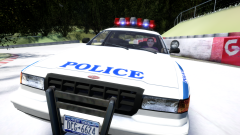
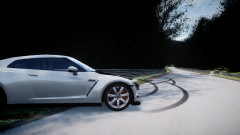
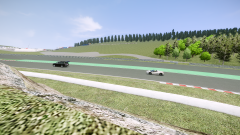
A German driver from Liberty City, Chris Kämmerer, was visiting family in Germany earlier this week and deciding to go on the word-renowned racing track Nurburgring. As he was driving his Nissan GTR around a corner, he decided to do a common driver move called 'drift', as he did that, he lost control of his car and spun around twice, the front of his car was damaged from hitting a barrier, a minor injury was reported.

Posted Image

From the album:

CrossFire's Pics V2

· 86 images

Account

Navigation

Search

Search

Configure browser push notifications

Chrome (Android)
  1. Tap the lock icon next to the address bar.
  2. Tap Permissions → Notifications.
  3. Adjust your preference.
Chrome (Desktop)
  1. Click the padlock icon in the address bar.
  2. Select Site settings.
  3. Find Notifications and adjust your preference.