Skip to content
View in the app

A better way to browse. Learn more.

LCPDFR.com

A full-screen app on your home screen with push notifications, badges and more.

To install this app on iOS and iPadOS
  1. Tap the Share icon in Safari
  2. Scroll the menu and tap Add to Home Screen.
  3. Tap Add in the top-right corner.
To install this app on Android
  1. Tap the 3-dot menu (⋮) in the top-right corner of the browser.
  2. Tap Add to Home screen or Install app.
  3. Confirm by tapping Install.

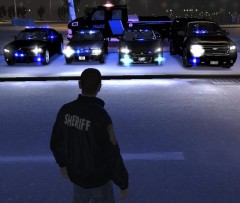
Same as before with a little addon

From left to right:

2010 Dodge Charger by EVI

LCPD Slicktop CVPI by Cj24

2012 Unmarked Chevy Impala also by EVI

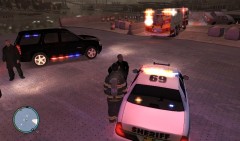
2008(could be wrong on year) Unmarked Chevy Suburban by Bxbugs123

In the Back:

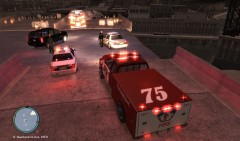
GMC C4500 Topkick by Alec Durbin

All skins have been made black just to give a sort of unmarked or even secret service look to them... The GMC Topkick has a Federal Protective Services skin which all i did was turn it from white to black.

  • Account

    Navigation

    Search

    Search

    Configure browser push notifications

    Chrome (Android)
    1. Tap the lock icon next to the address bar.
    2. Tap Permissions → Notifications.
    3. Adjust your preference.
    Chrome (Desktop)
    1. Click the padlock icon in the address bar.
    2. Select Site settings.
    3. Find Notifications and adjust your preference.