
Skip to content
View in the app

A better way to browse. Learn more.

LCPDFR.com

A full-screen app on your home screen with push notifications, badges and more.

To install this app on iOS and iPadOS
  1. Tap the Share icon in Safari
  2. Scroll the menu and tap Add to Home Screen.
  3. Tap Add in the top-right corner.
To install this app on Android
  1. Tap the 3-dot menu (⋮) in the top-right corner of the browser.
  2. Tap Add to Home screen or Install app.
  3. Confirm by tapping Install.

Fatal Crash

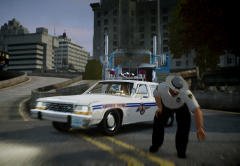
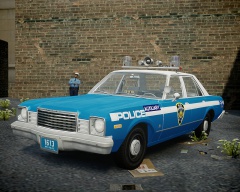
Not, everybody survived this time, I'm just being sensationalist.

A South Carolina Highway Patrol cruiser got hit by a truck, after the driver of this last one lost the control of the vehicle, as consequence of sudden a drop in the blood sugar. A state trooper resulted seriously injured by the impact but, thanks to the quick response of the local emergency services, both victims could survive.

After months of tough recovery, the SCHP trooper could go back to the service.

kyw8.jpg

From the album:

Strike's

· 221 images

Account

Navigation

Search

Search

Configure browser push notifications

Chrome (Android)
  1. Tap the lock icon next to the address bar.
  2. Tap Permissions → Notifications.
  3. Adjust your preference.
Chrome (Desktop)
  1. Click the padlock icon in the address bar.
  2. Select Site settings.
  3. Find Notifications and adjust your preference.