


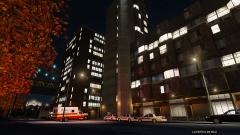

LCPD Roadblock

By trewq34
- 787 views
- View trewq34's images
On Saturday 2nd November at 19:00, the Liberty City Police Department received a call of shots fired on Colony Island. Two vehicles promptly responded. One of the officers was shot and killed. The call was then changed to priority one - all officers break and roll code 3. The suspect was soon killed. At 21:00 the FBI received a call from the LCPD, asking them to investigate the murder of the officer. An officer who was on scene stated that it "was like hell". The LCPD have released no further information regarding the case.
Recommended Comments
Join the conversation
You can post now and register later. If you have an account, sign in now to post with your account.