


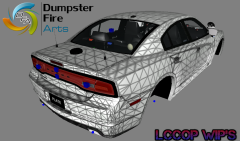
![New York State Police Crown Vic [Wip]](http://s3-gallery.int-cdn.lcpdfrusercontent.com/gallery/album_1038/sml_gallery_13885_1038_493789.png)
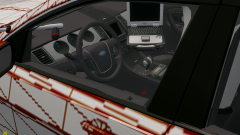
![STL K-Force 55 TIR[WIP]](http://s3-gallery.int-cdn.lcpdfrusercontent.com/gallery/album_1038/sml_gallery_13885_1038_12572.png)
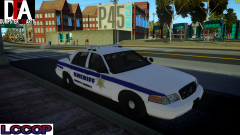
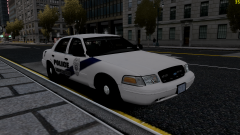
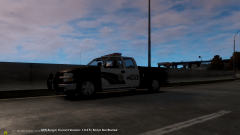
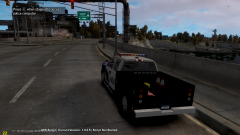

2011 Ford Crown Victoria Police Interceptor - Liberty County Sheriff

By Lccop
- 1,341 views
- View Lccop's images

CREDITS
- Ford Crown Victoria Model from Schaefft; modified and converted to IV by Chasez.
- Modified by BxBugs123 and Lt. Caine with permission from Schaefft & Chasez.
- Final and further edits and modifications by aznairsoftdude.
- Rims & Spotlights by BxBugs, Tires by TraumaPak.
- Vehicle Interior and police equipment from EA/Criterion Games modified and converted to IV by aznairsoftdude.
- Whelen Liberty 3-D Model by Reboot23
- Whelen_ION by Lccop, Textures by NickieB.
- WatchGuard Video System & Decatur Genesis I Radar & Whelen Talon Made By Bxbugs123 & DoTTGaMMa
- Antenae's & Skin By Lccop
- Police console scratch made by Hilth0, radio made by PFCBarefoot, Textures by Bxbugs123.
Recommended Comments
Join the conversation
You can post now and register later. If you have an account, sign in now to post with your account.