


Still a WIP

By thegreathah
- 923 views
- View thegreathah's images
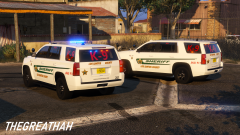
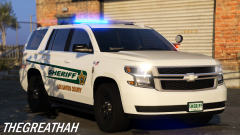
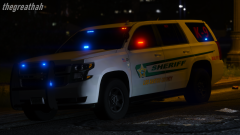
I am just about wrapping up my update for my Sarasota County Sheriff's Office Inspired pack. Pack will consist of 4 Tahoes (I have more but I don't want to inundate my file with them) and probably an Impala. I'm using the most updated real life department vehicles as inspiration, and I haven't seen an Impala or older style Tahoe in a long while, hence my hesitance to include more of them. The only vehicle in the actual department I am totally missing is a Caprice. I don't have a model that I consider "good enough" to include in the pack, and I don't have the time or the wherewithal to fix one for myself. I'm also happy with the current lineup so I don't want to mess with it too much. At the same time, I am working on updating my Venice Inspired pack. I am making all the vehicles work with reflective textures, and updating the textures themselves. Hopefully this pack's update will be uploaded this week.


Recommended Comments
Join the conversation
You can post now and register later. If you have an account, sign in now to post with your account.