





Skip to content
View in the app

A better way to browse. Learn more.

LCPDFR.com

A full-screen app on your home screen with push notifications, badges and more.

To install this app on iOS and iPadOS
  1. Tap the Share icon in Safari
  2. Scroll the menu and tap Add to Home Screen.
  3. Tap Add in the top-right corner.
To install this app on Android
  1. Tap the 3-dot menu (⋮) in the top-right corner of the browser.
  2. Tap Add to Home screen or Install app.
  3. Confirm by tapping Install.

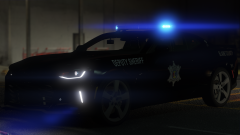
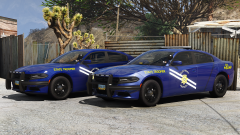
SAHP (NHP really)

HEY THERE cuties, another two car pack I made because I'm too lazy to make more cars heh.. Will be coming out together with a bunch of other stuff so stay tuned god fwording damnit

271590_20180627184347_1.png

Credit

Slendis, Chappie, iansonwheels, Matt, RobertTM, TurtleGod3000, Deco, Hilth0, Five0, HDgamerzPC

Copyright

© Slendis, Chappie

From the album:

Slendis Screenshots

· 74 images

Account

Navigation

Search

Search

Configure browser push notifications

Chrome (Android)
  1. Tap the lock icon next to the address bar.
  2. Tap Permissions → Notifications.
  3. Adjust your preference.
Chrome (Desktop)
  1. Click the padlock icon in the address bar.
  2. Select Site settings.
  3. Find Notifications and adjust your preference.