Skip to content
View in the app

A better way to browse. Learn more.

LCPDFR.com

A full-screen app on your home screen with push notifications, badges and more.

To install this app on iOS and iPadOS
  1. Tap the Share icon in Safari
  2. Scroll the menu and tap Add to Home Screen.
  3. Tap Add in the top-right corner.
To install this app on Android
  1. Tap the 3-dot menu (⋮) in the top-right corner of the browser.
  2. Tap Add to Home screen or Install app.
  3. Confirm by tapping Install.

LSPD Pursuit Pack

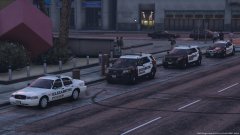
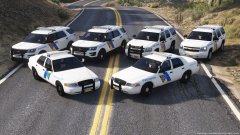
Hey LMK if i should release this pack! (Scroll down to see the light setup)

20180626150045_1.thumb.jpg.f7c8b298a56c8ad858105ccc2ef5358a.jpg20180626150022_1.thumb.jpg.9620b3a6933eb99bbc115a6aed984b3b.jpg

20180626150104_1.jpg

20180626150211_1.jpg

20180626150224_1.jpg


Light Let Up

https://gyazo.com/32f629de130e0a7c2f8505bdc4d338ab

https://gyazo.com/c6579b1adb661158061d3bee4ca897d5

From the album:

B.E.N Certified Pics

· 76 images

Account

Navigation

Search

Search

Configure browser push notifications

Chrome (Android)
  1. Tap the lock icon next to the address bar.
  2. Tap Permissions → Notifications.
  3. Adjust your preference.
Chrome (Desktop)
  1. Click the padlock icon in the address bar.
  2. Select Site settings.
  3. Find Notifications and adjust your preference.