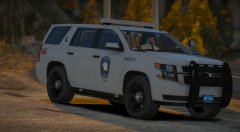
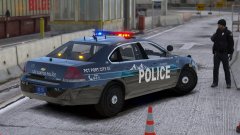
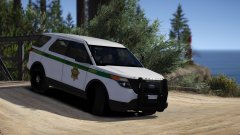
This place really is the 'Pitts' Share https://www.lcpdfr.com/gallery/image/100277-this-place-really-is-the-pitts/ Share on Facebook Share on X {lang="reddit_text" More sharing options... Followers Working on a Pittsburgh based LSPD pack. It'll be another mega-pack for all your mega-pack needs. More coming soon Credit Jedahdiah; DEVs for respected vehicles, parts; Will_ for badge and assistance with the livery. Copyright © Jedahdiah
alvarolage Members June 10, 20187 yr Author stats I'll be waiting for it love your megapacks they're amazing Jed keep the great content going
stylez Members June 18, 20187 yr Author stats Very nice, I've been waiting for someone to design this kind of color scheme for the vector light bar, one side blue and the other side Red. Hope to see it soon!
Jedahdiah Members July 30, 20187 yr Author stats 33 minutes ago, 1027county said: cant wait is this still something your working on? Not currently. The project was scrapped, but that's not to say something like this won't occur in the future
calilove Members July 30, 20187 yr Author stats they look amazing hope to see something like it in the future








Recommended Comments
Join the conversation
You can post now and register later. If you have an account, sign in now to post with your account.