Skip to content
View in the app

A better way to browse. Learn more.

LCPDFR.com

A full-screen app on your home screen with push notifications, badges and more.

To install this app on iOS and iPadOS
  1. Tap the Share icon in Safari
  2. Scroll the menu and tap Add to Home Screen.
  3. Tap Add in the top-right corner.
To install this app on Android
  1. Tap the 3-dot menu (⋮) in the top-right corner of the browser.
  2. Tap Add to Home screen or Install app.
  3. Confirm by tapping Install.
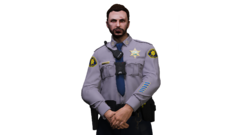
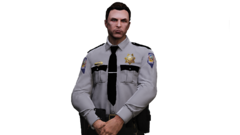
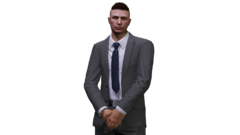
EUP Portraits

EUP Portraits

Album created by Burnswood · Updated

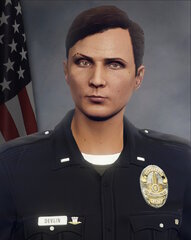
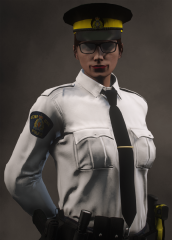
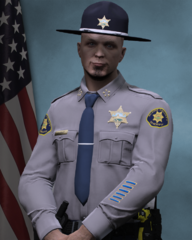
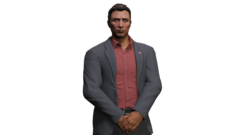
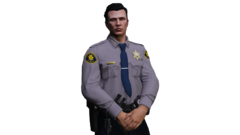
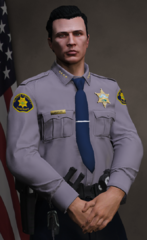
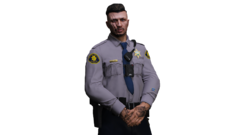
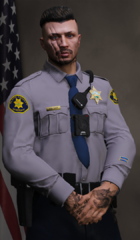
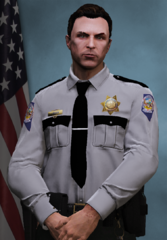
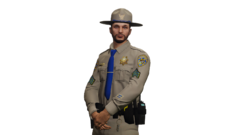
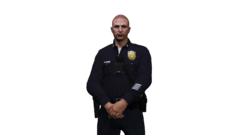
Portraits of my EUP characters or from friends of mine that I'll create in my free-time.


Spoiler

Note: I manually remove backgrounds from the images that I take of said characters, therefore you may see errors in my edits.


vad1m4

Members

Looks amazing! Can I get that background with American flag? Would be great!

Burnswood

Members

1 minute ago, vad1m4 said:

Looks amazing! Can I get that background with American flag? Would be great!

I'd have to check and make sure they're public, I had them sent to me by my friend Adam. If they're public I'll provide a link at my earliest convenience.


Otherwise, appreciate the compliments!

vad1m4

Members

1 minute ago, Burnswood said:

I'd have to check and make sure they're public, I had them sent to me by my friend Adam. If they're public I'll provide a link at my earliest convenience.


Otherwise, appreciate the compliments!

I would really appreciate you sharing them!

SRTOperator

Members

What do you use to crop out the images, I stumbled across this today and tried making one myself with PhotoScape X and let’s say the only reason why I am here is because I messed up.

Burnswood

Members

On 9/27/2021 at 2:10 AM, SRTOperator said:

What do you use to crop out the images, I stumbled across this today and tried making one myself with PhotoScape X and let’s say the only reason why I am here is because I messed up.

Wow, so, it's 3 years later (sorry) so hopefully it's not too late to post a response. (I'm aware your last online date was 2 years ago now)


As it says in the description of the album, I remove the backgrounds manually. I'll take the eraser tool and just go around the edges. It's complicated, however, it's the best method for me. Hopefully this answer will be useful to somebody.

Join the conversation

You can post now and register later. If you have an account, sign in now to post with your account.

Guest
Add a comment...

Recently Browsing 0

  • No registered users viewing this page.

Account

Navigation

Search

Search

Configure browser push notifications

Chrome (Android)
  1. Tap the lock icon next to the address bar.
  2. Tap Permissions → Notifications.
  3. Adjust your preference.
Chrome (Desktop)
  1. Click the padlock icon in the address bar.
  2. Select Site settings.
  3. Find Notifications and adjust your preference.