


Darktime Policing
Album created by
londonrials ·
Updated
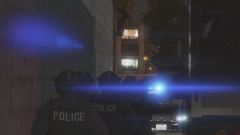
Three moments here. First one was felony stop on a person with housewife that I caught speeding that ended up having a warrant for manslaughter. Second one was this guy that stole COVID-19 supplies. Legit that pursuit was the only time AI was smart as fuck and went around THE ENTIRE BLOCK and blocked off the other side of the alley. Third one is a shootout. Aka my favorite oneee
10 images
-
By londonrials · 1 comment
-
By londonrials · 1 comment
-
By londonrials
-
By londonrials
-
By londonrials
-
By londonrials
-
By londonrials
-
By londonrials
-
By londonrials
-
By londonrials



Recently Browsing 0
- No registered users viewing this page.
0 Album Comments
There are no comments to display.
Join the conversation
You can post now and register later. If you have an account, sign in now to post with your account.