Skip to content
View in the app

A better way to browse. Learn more.

LCPDFR.com

A full-screen app on your home screen with push notifications, badges and more.

To install this app on iOS and iPadOS
  1. Tap the Share icon in Safari
  2. Scroll the menu and tap Add to Home Screen.
  3. Tap Add in the top-right corner.
To install this app on Android
  1. Tap the 3-dot menu (⋮) in the top-right corner of the browser.
  2. Tap Add to Home screen or Install app.
  3. Confirm by tapping Install.
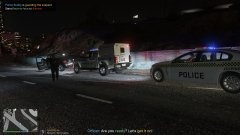
South Australia's Finest

South Australia's Finest

Album created by Sheepish2 · Updated

Sheepish2

Members

17 hours ago, Aeywoo said:

These look amazing, I'm guessing you made them?

Skins yes, cars no. I would love a zb commie that would have the regular lightbar 🙂 Thanks though. I can always replace my badge with SAPOL's but I thought i'd keep it San Andreas'y 

SmartAsMarbles

Members

On 5/28/2020 at 11:56 AM, Sheepish2 said:

Skins yes, cars no. I would love a zb commie that would have the regular lightbar 🙂 Thanks though. I can always replace my badge with SAPOL's but I thought i'd keep it San Andreas'y 

Looking awesome, can you change the badges and send a link to where I could download them? I was gonna use the VF wagon and the Kia, I just need the slogan and the badge changed if you can

Join the conversation

You can post now and register later. If you have an account, sign in now to post with your account.

Guest
Add a comment...

Recently Browsing 0

  • No registered users viewing this page.

Account

Navigation

Search

Search

Configure browser push notifications

Chrome (Android)
  1. Tap the lock icon next to the address bar.
  2. Tap Permissions → Notifications.
  3. Adjust your preference.
Chrome (Desktop)
  1. Click the padlock icon in the address bar.
  2. Select Site settings.
  3. Find Notifications and adjust your preference.