Skip to content
View in the app

A better way to browse. Learn more.

LCPDFR.com

A full-screen app on your home screen with push notifications, badges and more.

To install this app on iOS and iPadOS
  1. Tap the Share icon in Safari
  2. Scroll the menu and tap Add to Home Screen.
  3. Tap Add in the top-right corner.
To install this app on Android
  1. Tap the 3-dot menu (⋮) in the top-right corner of the browser.
  2. Tap Add to Home screen or Install app.
  3. Confirm by tapping Install.
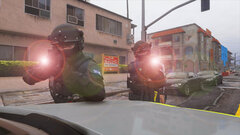
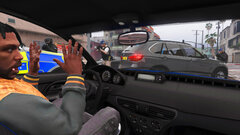
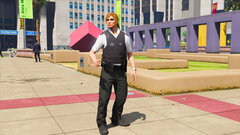
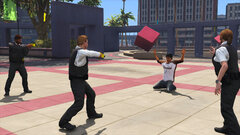
Metropolitan Police (EUP)

Metropolitan Police (EUP)

Album created by WilsonTheIrish · Updated

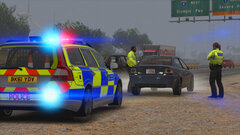
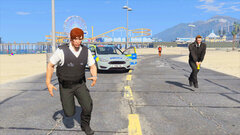
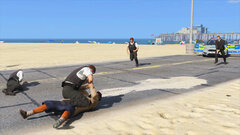
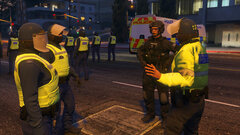
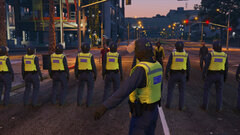
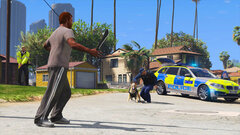
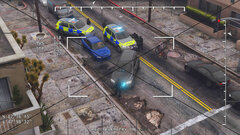
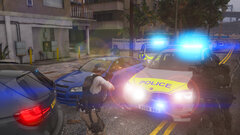
Mixture of WiP uniforms for EUP Based on the Metropolitan Police Service

sergeantFrank

Members

yeah dude go!

nice to see someone finally decided to do some british eup shit

i admit i don't play in british style anymore, but there was a time when i did, and man i'm telling you, i really missed eup.. or a proper ped even...

IFFYISBEEFY

Members

looks great. Any chance it'll be released?

WilsonTheIrish

Members

4 hours ago, IFFYISBEEFY said:

looks great. Any chance it'll be released?

Potential going to be released in the near future

IFFYISBEEFY

Members

On 8/10/2019 at 9:07 PM, brutaljohnny said:

Potential going to be released in the near future

okay I hope so it looks amazing

OfficeAliG

Members

Has this been released?


WilsonTheIrish

Members

16 hours ago, OfficeAliG said:

Has this been released?


Expected to be released in 3 weeks 

OfficeAliG

Members

Still  Unreleased.

MattLee1999UK

Members

any chances of an update to make it compatible with EUP 8.2? seems textures are buggy right now with 8.2

Join the conversation

You can post now and register later. If you have an account, sign in now to post with your account.

Guest
Add a comment...

Recently Browsing 0

  • No registered users viewing this page.

Account

Navigation

Search

Search

Configure browser push notifications

Chrome (Android)
  1. Tap the lock icon next to the address bar.
  2. Tap Permissions → Notifications.
  3. Adjust your preference.
Chrome (Desktop)
  1. Click the padlock icon in the address bar.
  2. Select Site settings.
  3. Find Notifications and adjust your preference.