Skip to content
View in the app

A better way to browse. Learn more.

LCPDFR.com

A full-screen app on your home screen with push notifications, badges and more.

To install this app on iOS and iPadOS
  1. Tap the Share icon in Safari
  2. Scroll the menu and tap Add to Home Screen.
  3. Tap Add in the top-right corner.
To install this app on Android
  1. Tap the 3-dot menu (⋮) in the top-right corner of the browser.
  2. Tap Add to Home screen or Install app.
  3. Confirm by tapping Install.
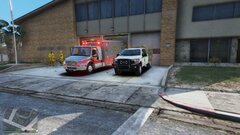
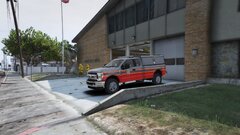
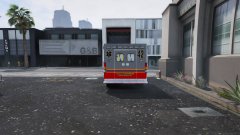
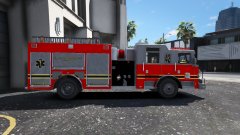
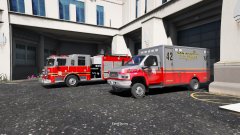
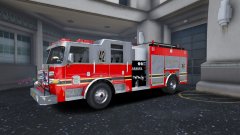
Osceola County (FLORIDA) Lore Friendly

Osceola County (FLORIDA) Lore Friendly

Album created by DS Desings · Updated

20190211210003_1.jpg

20190211210016_1.jpg

20190211210028_1.jpg

20190211210036_1.jpg

20190211210044_1.jpg

20190212004030_1.jpg

20190212004043_1.jpg

20190212004110_1.jpg

officersouthpaw

Members

tfw when people make up emergency units from your hometown

DS Desings

Members

On 8/23/2019 at 5:20 PM, officersouthpaw said:

tfw when people make up emergency units from your hometown

Im sorry? What are you trying to say?

officersouthpaw

Members

(edited)

3 hours ago, Reaper 51 said:

Im sorry? What are you trying to say?


I live in Osceola County - it's a bit weird seeing the fire department you've known all your life on LCPDFR, is all.

It's very accurate to the real thing and I am happy to see my FD on here.

Edited by officersouthpaw

Join the conversation

You can post now and register later. If you have an account, sign in now to post with your account.

Guest
Add a comment...

Recently Browsing 0

  • No registered users viewing this page.

Account

Navigation

Search

Search

Configure browser push notifications

Chrome (Android)
  1. Tap the lock icon next to the address bar.
  2. Tap Permissions → Notifications.
  3. Adjust your preference.
Chrome (Desktop)
  1. Click the padlock icon in the address bar.
  2. Select Site settings.
  3. Find Notifications and adjust your preference.