Skip to content
View in the app

A better way to browse. Learn more.

LCPDFR.com

A full-screen app on your home screen with push notifications, badges and more.

To install this app on iOS and iPadOS
  1. Tap the Share icon in Safari
  2. Scroll the menu and tap Add to Home Screen.
  3. Tap Add in the top-right corner.
To install this app on Android
  1. Tap the 3-dot menu (⋮) in the top-right corner of the browser.
  2. Tap Add to Home screen or Install app.
  3. Confirm by tapping Install.
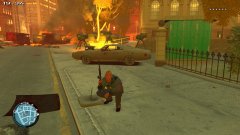
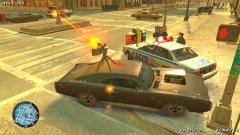
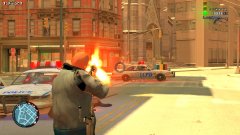
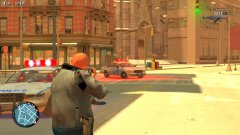
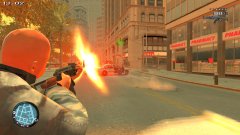
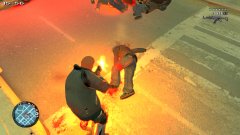
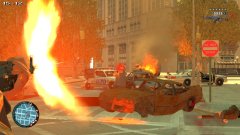
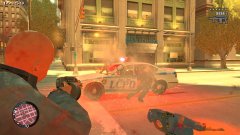
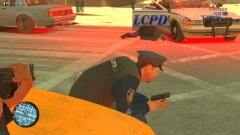
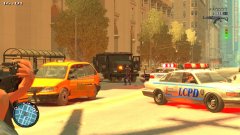
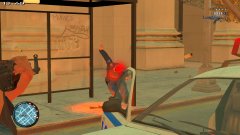
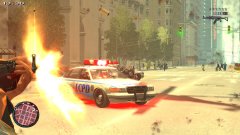
Chris Dorner Strikes Again

Chris Dorner Strikes Again

Album created by Officer GILLETTE ABDI · Updated

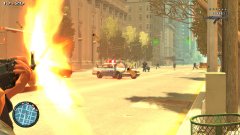
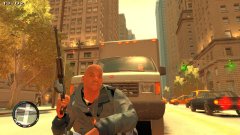
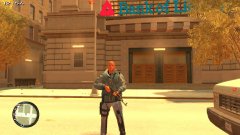
Yes, he is Back in Liberty City for a Rampage Against the LCPD

EVERYONE THOUGHT HE IS DEAD BUT THEY KILLED HIS DOUBLE

BE CAREFUL IN LC!!! HE IS LIKE THE TERMINATOR

Hullian111

Members

I don't know, when you look into Chris Dorner's Wiki page, after reading the reason as to exactly why he started shooting, I dare say this is just a little insensitive.

Said Wiki Page

(edited)

On 27.11.2017 at 9:02 AM, Hullian111 said:

I don't know, when you look into Chris Dorner's Wiki page, after reading the reason as to exactly why he started shooting, I dare say this is just a little insensitive.

Said Wiki Page

it´s just Fiction or Alternative History in my Chris Dorner Version

Edited by Officer GILLETTE ABDI

Hullian111

Members

40 minutes ago, Officer GILLETTE ABDI said:

it´s just Fiction or Alternative History in my Chris Dorner Version

Fiction or not, it doesn't really change my opinion.

2 minutes ago, Hullian111 said:

Fiction or not, it doesn't really change my opinion.

That's why he starts his Comeback

Join the conversation

You can post now and register later. If you have an account, sign in now to post with your account.

Guest
Add a comment...

Recently Browsing 0

  • No registered users viewing this page.

Account

Navigation

Search

Search

Configure browser push notifications

Chrome (Android)
  1. Tap the lock icon next to the address bar.
  2. Tap Permissions → Notifications.
  3. Adjust your preference.
Chrome (Desktop)
  1. Click the padlock icon in the address bar.
  2. Select Site settings.
  3. Find Notifications and adjust your preference.