


BCSO pack - WIP
Hi all,
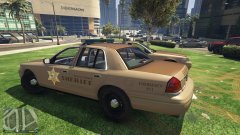
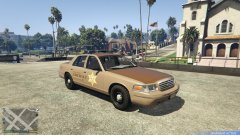
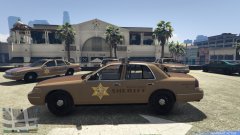
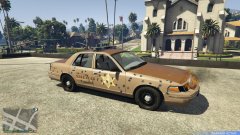
Currently working on my first texture ever... that will [hopefully] lead to a "pack" release.
The texture(s): based off multiple sheriff fleets I've looked at, so it's really just a creative custom livery. I chose a specific list of vehicles for this pack for a few reasons: I love the whelen edge light bars, I'm basing this particular BCSO fleet off a low-budget/not so well-funded department, and I like the older vehicles (also allows for a simpler design for my first go at creating liveries). In the future I may add more modern vehicles to the fleet with a slightly more updated and upgraded livery design.
Honorable mentions: Thank you @restsite for the input and help starting me out on this
Thank you to my brother for taking some in game shots and beta testing the fitment/design (LSPDFR.com account-less at the moment).
Anyway, here's a sneak peak of what I'm working on. This was the first upload, so there is definitely work to be done before finalizing.


10 images
-
-
By WhiskeyBehavior · 2 comments
-
-
-
-
-
By WhiskeyBehavior · 3 comments
-
-
-


Recently Browsing 0
- No registered users viewing this page.
0 Album Comments
There are no comments to display.
Please sign in to comment
You will be able to leave a comment after signing in
Sign In Now